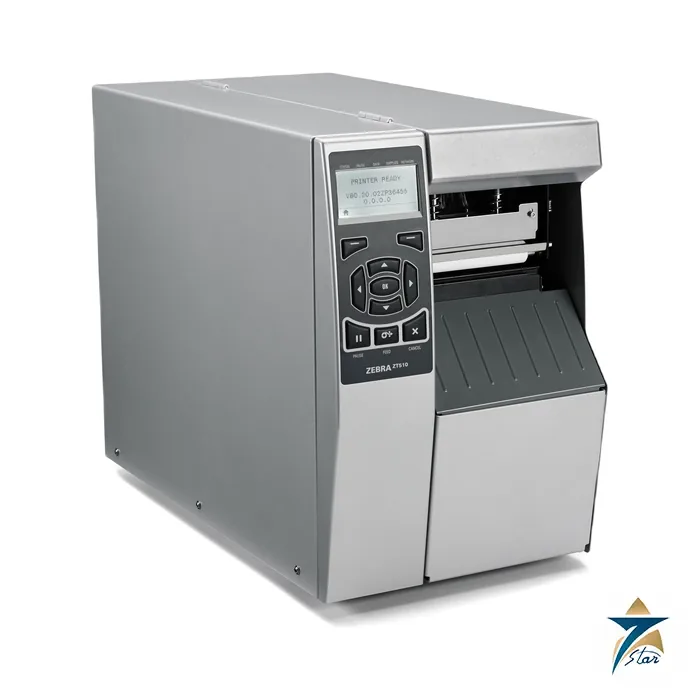
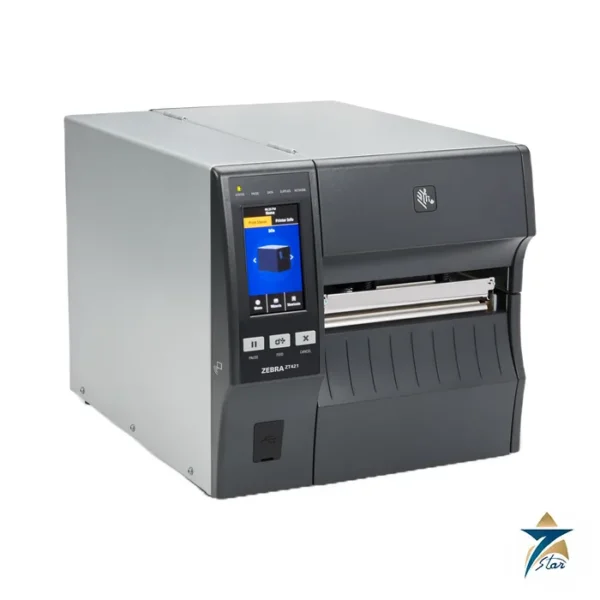
The Zebra ZT510 is a 4-inch industrial thermal transfer and direct thermal printer built for round-the-clock labelling. It combines a back-lit multi-line graphic LCD with keypad, a 512 MB SDRAM and 2 GB Flash memory platform, a Cortex A9 800 MHz processor and internal gigabit Ethernet, with ZPL and ZPL II programming.
A rugged workhorse for continuous production labelling
The ZT510 uses a thin-film printhead with E3 element energy control, dual transmissive and reflective media sensors selectable from software or front panel, a real-time clock and user-programmable password protection. Early-warning alerts report a dirty printhead through the front panel and ZebraLink alerts. Serial RS-232, full-speed USB 2.0, Bluetooth Low Energy, a static NFC tag and auto-switching gigabit Ethernet are all standard.
It is a good fit for pipe-spool and fabrication tagging, parts and kit labels, warehouse and dispatch labelling and compliance marking where an operator panel with keypad is preferred to a touch display and the printer runs several shifts.
Technical specifications
| Parameter |
Specification |
| Print methods |
Thermal transfer and direct thermal |
| Resolution |
203 dpi (8 dots/mm); 300 dpi (about 11.8 dots/mm) |
| Maximum print width |
203 dpi: 832 dots, 4.09 in. (104 mm); 300 dpi: 1248 dots, 4.16 in. |
| Print speeds |
Programmable from 2.4 in./s up to 12 in./s at 203 dpi (2.4, 3, 4 … 12 in./s) |
| Maximum print length |
Non-continuous 39 in. (991 mm); continuous 150 in. at 203 dpi, 100 in. at 300 dpi |
| Media width (label and liner) |
0.79 in. (20 mm) to 4.5 in. (114 mm) |
| Media types |
Continuous, die-cut, notch, hole or black mark |
| Media thickness |
0.003 in. (0.076 mm) to 0.009 in. (0.23 mm) with cutter; up to 0.012 in. (0.305 mm) without cutter |
| Minimum label length |
Rewind 0.25 in. (6 mm); peel 0.5 in. (13 mm); tear-off 0.7 in. (18 mm); cutter 1.5 in. (38 mm) |
| Maximum roll |
8.0 in. (203 mm) O.D. on 3 in. (76 mm) I.D. core |
| Ribbon |
0.79 in. (20 mm) to 4.33 in. (110 mm) wide; standard length 1476 ft (450 m); coated side out |
| Processor and memory |
Cortex A9 800 MHz; 512 MB SDRAM; 2 GB on-board Flash |
| Communications |
RS-232, USB 2.0 full speed, Bluetooth LE, static NFC tag, internal gigabit Ethernet; options include parallel, USB host card, 802.11ac/BT 4.0 print server, internal IPv4 10/100/1000 card |
| Options |
Full-width guillotine cutter with catch tray, rewind spindle, additional fonts |
| Operating environment |
Thermal transfer 5 to 40 C; direct thermal 0 to 40 C; 20 to 85 percent non-condensing |
| Storage environment |
-30 to 60 C; 20 to 85 percent non-condensing |
| Power |
250 W universal supply with PFC, 90 to 265 VAC, 47 to 63 Hz |
| Dimensions and weight |
H 15.58 in. (395.7 mm); W 10.56 in. (268.2 mm); D 20.17 in.; 50 lb (22.7 kg) |
| Approvals as printed |
IEC 60950-1, EN 55022 Class B, EN 55024; markings include cTUVus, CE, FCC-B, VCCI, CCC, KCC |
Software, management and printhead care
The sheet lists Zebra Link-OS tools: document design, printer integration apps, printer management, developer tools, the Zebra Setup Utility and the ZebraDesigner printer driver for Windows. ZebraNet print servers add WebView web pages and email alerts. Zebra recommends genuine supplies and regular cleaning of the printhead, platen and sensors, and the media registration performance depends on media type, width, ribbon and speed.
Choosing the ZT510 and ordering
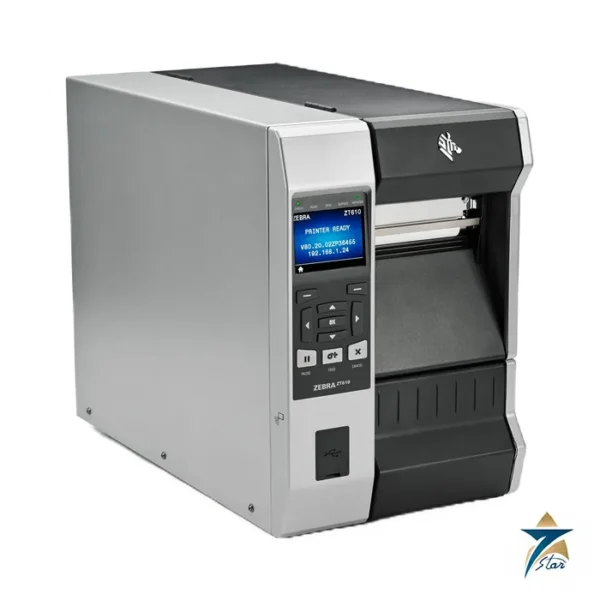
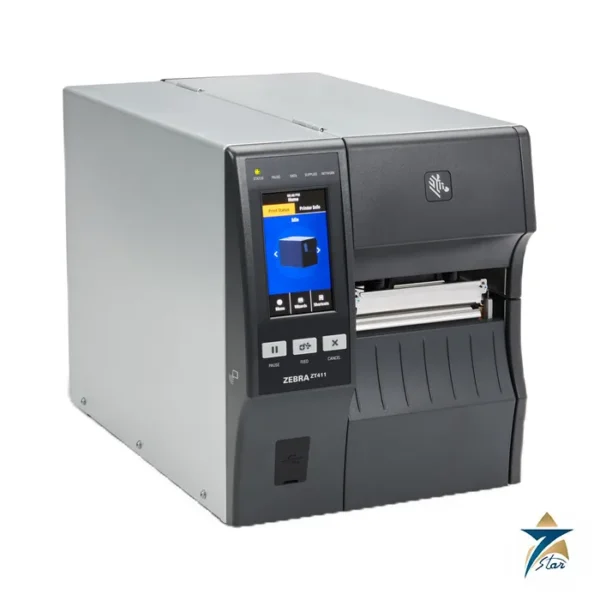
If a colour touch display, Wi-Fi 6 radio or 600 dpi are required, the newer ZT411 or ZT610 should be reviewed; the ZT510 remains a straightforward keypad-and-LCD printer with gigabit Ethernet. Confirm resolution, cutter or rewind, connectivity cards, power cord and label and ribbon material before ordering. See also industrial automation accessories.
Matching print method and media to the label job
The first decision is between thermal transfer and direct thermal printing. Direct thermal needs no ribbon and suits short-life labels such as dispatch and shipping labels, but the image can fade with heat and light. Thermal transfer uses a ribbon to fix the image and is the better choice for labels that must survive handling, sunlight, solvents or long storage, such as asset tags, pipe-spool markings and compliance labels. The label face material and the ribbon type should be chosen together, because a mismatch is the most common cause of poor print durability.
Resolution is the next question. The lower resolution handles most text and linear barcodes well and allows the top print speed. The higher resolution is worth considering for small fonts, dense two-dimensional codes or fine graphics, where a sharper print improves scan reliability. Label length, media thickness and the planned finishing method, whether tear-off, peel, rewind or cutter, should be checked against the limits in the table before media is ordered.
Fitting the printer into plant and warehouse systems
In a typical installation the printer receives jobs from an ERP or warehouse system, a labelling application, or a PLC-driven line station. The gigabit Ethernet port makes it easy to place the printer on the plant network, while USB and serial links remain useful for direct connection to a single PC or older equipment. ZPL programming allows label formats to be stored and called by host systems, and the Link-OS management tools help IT teams keep settings and firmware consistent across several printers.
Installation and setup practice
The printer should stand on a firm, level surface with enough room to open the media cover fully and to load rolls of the largest diameter it accepts. A position away from forklift traffic, washdown and direct vibration protects both the mechanism and the network cable. During setup, the media sensor type should be selected to match the label stock, and a calibration run performed so that the printer finds the label gap, notch or mark reliably. Print darkness and speed are then adjusted together until barcodes verify consistently; running slower with lower darkness often gives better results than maximum speed.
Operating and maintaining the printer in GCC conditions
Warehouses and fabrication yards in Oman and the Gulf can be hot, dusty and, near the coast, humid. The operating temperature and humidity ranges on the specification sheet should be compared with the real conditions at the printer location, especially in unconditioned stores during summer. Media and ribbons should also be stored within their own recommended conditions, since heat can affect direct thermal stock before it is even printed.
Dust is the main enemy of print quality. Regular cleaning of the printhead, platen roller and sensors, as Zebra recommends, keeps the image sharp and extends printhead life. The dirty-printhead alerts are a useful reminder, but in dusty sites a fixed cleaning routine at each media change is better practice. Keeping the media cover closed between roll changes also limits dust entry.
Documents and quotation
The Zebra ZT510 specification sheet (manufacturer PDF) is attached to this page. Send label size, volume and interface requirements; Seven Star LLC, an independent supplier in Muscat, will respond with a quotation.









Reviews
There are no reviews yet.