A 1:1 NAT router for connecting machine networks to the plant LAN
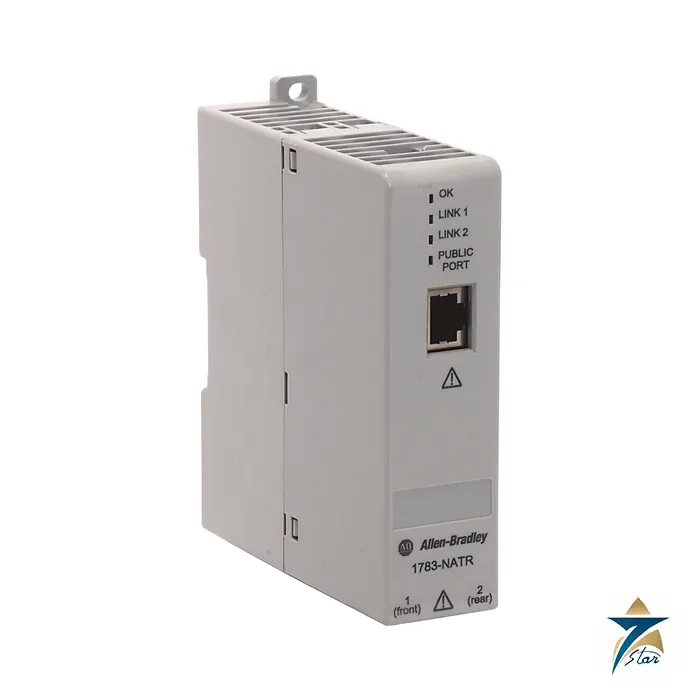
The Allen-Bradley 1783-NATR is a network address translation (NAT) router with embedded switch technology. It lets a machine builder connect a small private network to a larger plant-wide network without changing the IP addresses inside the machine, so the same fixed addressing can be used in every copy of a skid or packaged unit.
The router acts as the default gateway for the private network. It translates private addresses to unique public ones on a 1:1 basis, and where a private device must be reachable from the plant network, a translation is created on the router. Private ports can run in linear or DLR ring topology.
Technical specifications
| Parameter |
Specification |
| Catalog number |
1783-NATR (firmware versions up to 1.007 listed on the product page) |
| Function |
1:1 network address translation router with embedded switch |
| Ports |
3 copper RJ45: 1 public port and 2 private ports (linear or DLR ring) |
| Private-network topologies |
Linear or Device Level Ring (ODVA DLR compliant) |
| Factory defaults |
Private ports 192.168.1.1; public port 169.254.1.1 with DHCP on private ports off |
| IP address setting |
DIP switches, BOOTP/DHCP server, RSLinx, or Logix Designer |
| Power supply |
24 V DC |
| Mounting |
DIN rail or panel; grounded through the DIN rail |
| Height |
132 mm (5.16 in.) |
| Network standard |
Ethernet (EtherNet/IP applications) |
Why machine builders use it
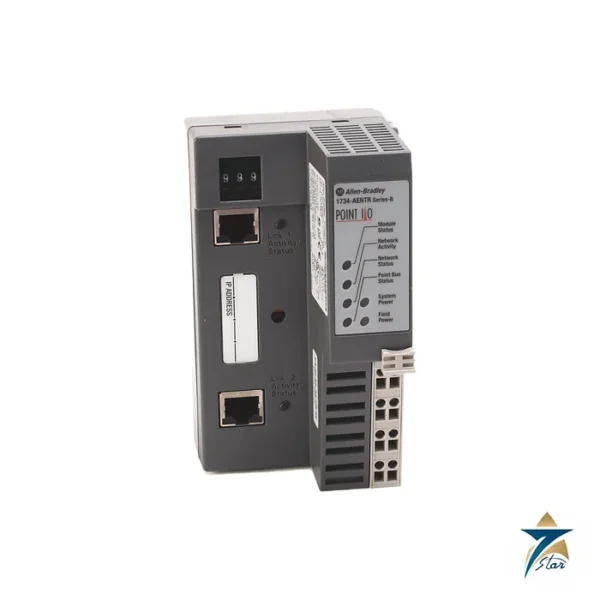
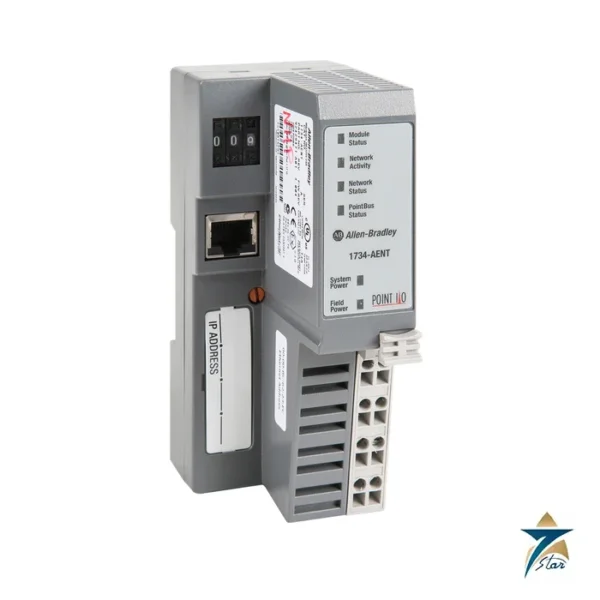
A packaged compressor or water-treatment skid is usually programmed with the same private addresses every time. When several identical units must be reached from one SCADA system, the NAT router maps each machine address range to a unique public range. The user manual example shows two machines with a Stratix switch and 1734-AENT stations each mapped from the 192.168.1.x range to a different 10.10.x.x range.
Selection and ordering notes
The router is for 1:1 translation and not for general routing between unrelated subnets, so check the translation list size against your device count in the user manual. Use zinc-plated yellow-chromate DIN rail for proper grounding, as the manual warns, and confirm the firmware version and security advisories published on the product page. The product page also lists firmware downloads for each version, together with product security advisories, which should be reviewed before connecting the router to a plant network. Typical site practice is to keep the public port address in the plant addressing scheme and leave the private network unchanged, which means every copy of a skid ships with the same programmed addresses and only the router configuration differs at commissioning.
For commissioning, record the factory defaults before changing anything: the private ports ship at 192.168.1.1 and the public port at 169.254.1.1. The three RJ45 ports and the 132 mm height make it easy to fit on a DIN rail beside a Stratix switch inside a skid panel.
Planning the address translation before installation
Start with a simple table that lists every device on the machine network that the plant side must reach, its private address and the public address it will receive. Agree the public range with the plant IT or OT team before the skid arrives on site, so that the addresses do not clash with existing equipment and so that firewall and SCADA settings can be prepared in advance. Devices that only talk to each other inside the machine do not need a translation entry, which keeps the list short and easier to maintain. Keep this table with the panel drawings, because it is the first document a technician will need when a device cannot be reached.
Installing and commissioning the 1783-NATR
Mount the router on a properly grounded DIN rail in the machine panel, connect the 24 V DC supply from a clean control power source, and label the public and private cables clearly so they are not swapped during later work. Set the addresses with the method chosen for the project, then enter the translation entries and confirm each one from both sides: ping or browse to the public address from the plant network and make sure the response comes from the correct device inside the machine. Where the private ports form a DLR ring, break the ring deliberately during commissioning and confirm that communication continues and that the fault is reported, then restore it. Save the final configuration and record the firmware version in the commissioning file.
Security and change control
Treat the router as part of the boundary between the machine and the plant network. Restrict who can change its configuration, review the security advisories on the product page before connecting it, and follow site change-control rules when entries are added or firmware is updated. A copy of the working configuration makes recovery much quicker after a replacement.
Panel conditions in Oman and GCC sites
Packaged skids in Oman and other Gulf countries are often installed outdoors or in plant rooms that become very hot in summer, and network equipment inside small panels can run close to its limits. Check the operating temperature in the user manual against the expected panel temperature, shade or ventilate the enclosure where needed, and keep Ethernet cables away from heat sources. Dust can enter connectors when panel doors are left open, so keep enclosures closed and seal cable entries properly. In humid coastal sites, check connectors for corrosion during routine maintenance and secure cables so that vibration from compressors or pumps does not loosen them. When a skid is moved between sites, recheck the public addressing with the receiving plant before power-up, because a range that was free at the first location may already be in use at the next one, and update the translation table and drawings at the same time.
Documents and quotation
The linked user manual explains the network implementation, address setting and web or software configuration. See other networking items in the Industrial Communications category. Contact Seven Star LLC, an independent supplier in Muscat, with the catalog number and quantity to request a quotation.








Reviews
There are no reviews yet.