The 2 MB CompactLogix 5370 L3 controller
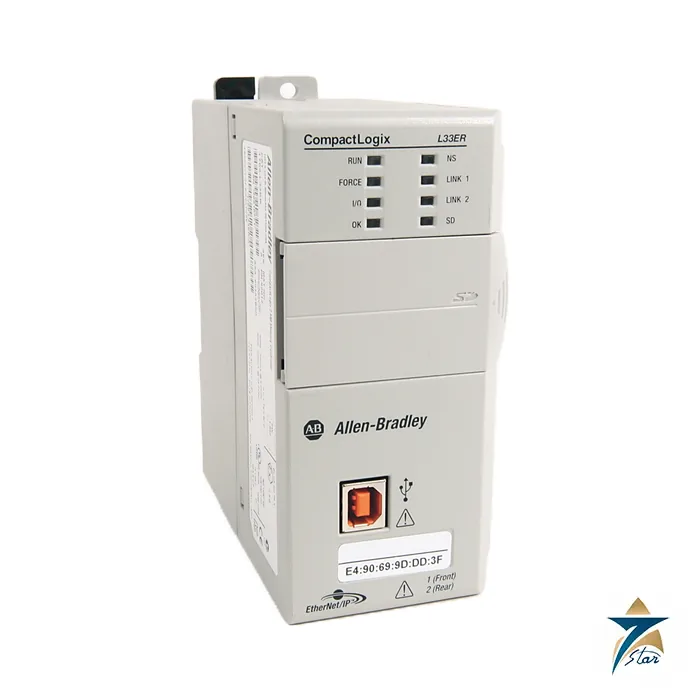
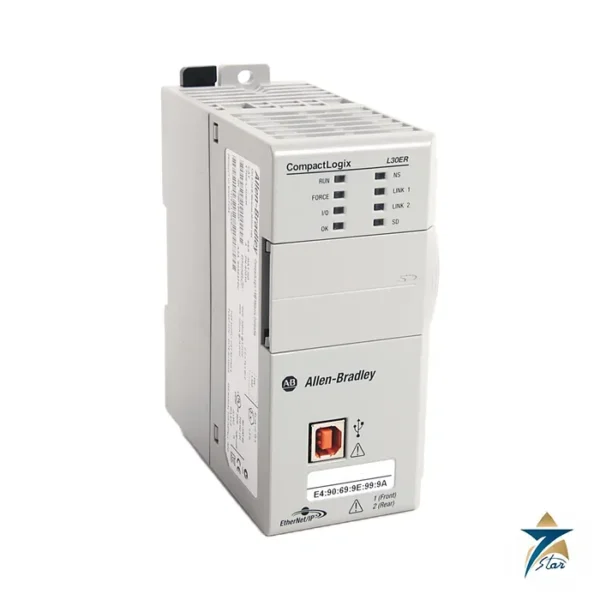
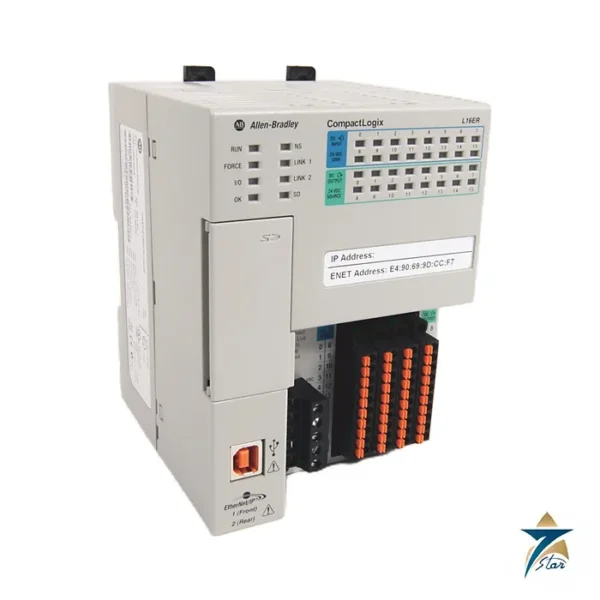
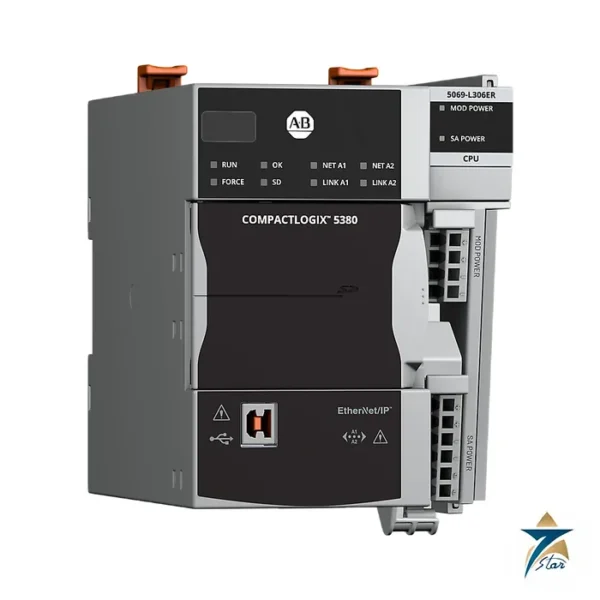
The Allen-Bradley 1769-L33ER is a CompactLogix 5370 L3 controller with 2 MB of user memory, double that of the 1769-L30ER. It has two built-in EtherNet/IP ports on an embedded switch and controls up to 16 local Compact I/O modules and up to 32 EtherNet/IP nodes.
It is aimed at larger machines and skids where one controller covers several I/O banks, drives and HMIs on the same network. The motion variant, the 1769-L33ERM, is a separate catalog number with up to eight integrated-motion axes.
Technical specifications
| Parameter |
Specification |
| Manufacturer / family |
Allen-Bradley (Rockwell Automation) / CompactLogix 5370 L3 |
| Catalog number |
1769-L33ER (variants listed: 1769-L33ERK, 1769-L33ERM) |
| User memory |
2 MB |
| Built-in communication |
Two EtherNet/IP ports (one IP address) and one USB port for temporary connection |
| EtherNet/IP nodes, max |
32 |
| Controller connections |
256 |
| Local expansion modules, max |
16 1769 Compact I/O modules |
| I/O banks, max |
3 |
| Tasks |
32 tasks (continuous and periodic), 100 programs per task |
| Sockets, max |
32 |
| Integrated motion |
Not listed for the plain ER type; the L33ERM supports up to 8 axes |
| Programming languages |
Relay ladder, structured text, function block, SFC |
| Memory card |
1784-SD1 or 1784-SD2 SD card; no battery needed |
| Right end cap |
1769-ECR required on the right side of the system |
| Software |
Studio 5000 Logix Designer |
Compared with the 1769-L30ER
The main differences in the manufacturer table are memory (2 MB against 1 MB), local expansion (16 Compact I/O modules against 8) and EtherNet/IP nodes (32 against 16). Both controllers have 256 controller connections, 32 sockets, 32 tasks and the same programming languages.
For a replacement, use the same memory class as the controller being replaced and check the project size. A project written for the L33ER with more than 1 MB of data will not load on an L30ER.
System design notes
Local Compact I/O modules attach to the right of the controller in up to three banks, with a power supply and expansion cables as needed, and a 1769-ECR right end cap closes the last bank. The two Ethernet ports allow a linear network; DeviceNet is available through a 1769-SDN scanner module. Programming is done in Studio 5000 Logix Designer.
The controller has no battery because it uses internal energy storage, and projects can be stored on a 1784-SD1 or 1784-SD2 SD card. The USB port is meant for temporary connection only. Confirm firmware revision when a controller is replaced, and keep a copy of the project and the SD card contents before swapping hardware. When several controllers share a plant network, record the IP address and node name of each one so the replacement can be commissioned quickly without disturbing neighbouring devices.
Selection checks for a 1769-L33ER project
Size the controller from the application, not only from the module count. List the local Compact I/O modules bank by bank, the EtherNet/IP devices the controller will own (drives, remote I/O adapters, HMIs, other controllers exchanging data) and the expected program size including future additions. Compare each total with the limits in the specification table and leave headroom, because a project that sits exactly at a limit on day one has no room for the changes that almost always follow commissioning. If motion axes are required, the plain 1769-L33ER is not the right catalog number; the motion variant named above should be evaluated instead. Confirm that the Studio 5000 Logix Designer version available to your engineers supports the firmware revision you plan to run, and agree the firmware revision with the end user before the controller is ordered.
Installation and commissioning
Mount the controller and its I/O banks in the enclosure according to the Rockwell installation instructions, with the power supply and the 1769-ECR right end cap in place, and keep the clearances that the instructions call for around the modules. Separate low-voltage signal and network wiring from power cabling inside the panel, and use industrial-grade Ethernet cabling and connectors suited to the environment. Before the first download, set the IP address and node name according to the plant network plan, and check that no other device already uses that address.
Commission in steps: verify that the controller sees every local module and every network device in the I/O configuration, then check each input and output point against the I/O list with the field wiring connected, and only then run the application logic. Save the final project to the SD card and to the plant’s backup location, and record the firmware revision, the project file name and the date in the commissioning file.
Maintenance practice
Keep a current copy of the project for every controller and update it whenever logic changes are made on site. Review the controller diagnostics and fault logs during scheduled shutdowns, and check that network cables and connectors are secure. Store a spare SD card with the current project where the maintenance team can find it, so a replacement controller can be brought back into service without waiting for an engineer to travel to the site.
Panel environment in Oman and the GCC
Control panels on skids, pumping stations and process units in the Gulf often sit in hot, dusty locations where the inside of the enclosure can become much warmer than the surrounding air. Compare the expected internal panel temperature with the operating range given in the Rockwell technical data, and plan the enclosure cooling, shading and sealing accordingly. Fine dust that finds its way into a panel can settle on modules and connectors, so keep enclosure doors closed, maintain door seals and clean or replace any panel air filters at regular intervals. In humid coastal areas, also consider condensation inside the panel when equipment is switched off overnight.
Documents and quotation
The CompactLogix controller technical data 1769-TD005 contains the comparison tables used here. For a quotation, send the 1769-L33ER reference, firmware revision, quantity and the I/O configuration. Related hardware is in PLC & I/O Cards.




Reviews
There are no reviews yet.