A dual-port EtherNet/IP bridge for ring topologies and motion
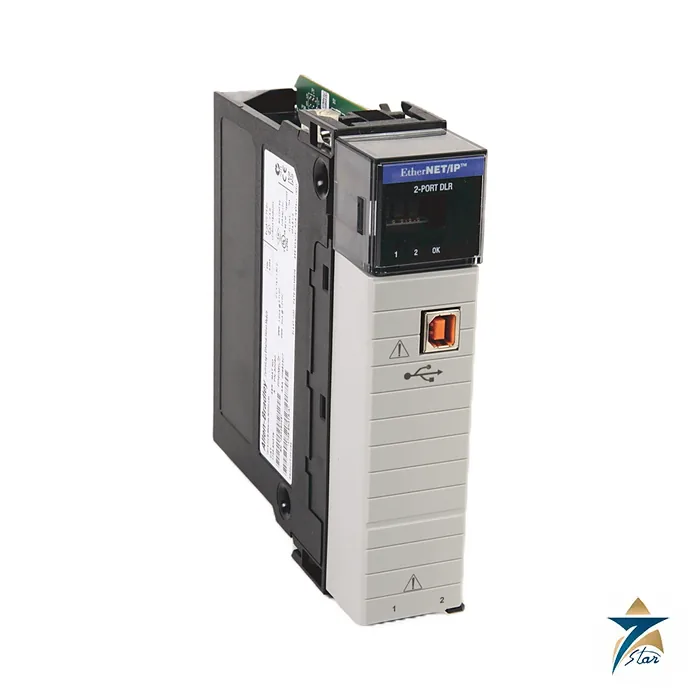
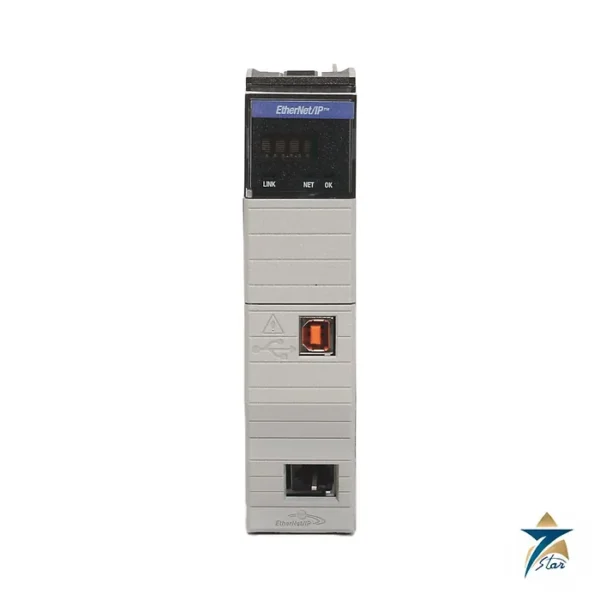
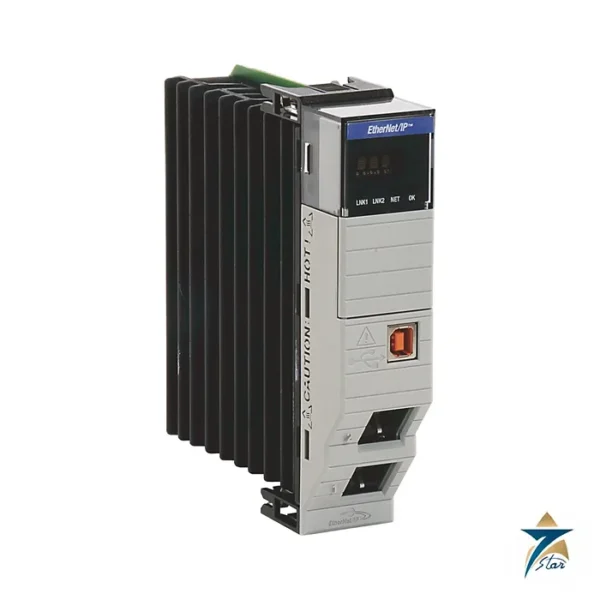
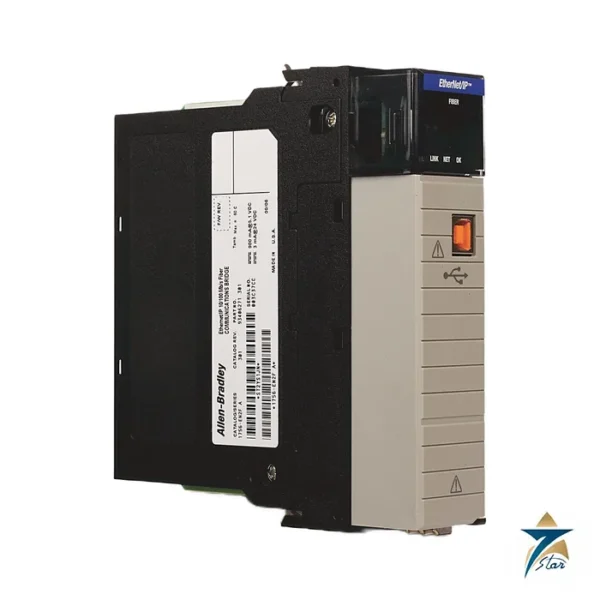
The Allen-Bradley 1756-EN3TR is a ControlLogix EtherNet/IP communication module with two RJ45 ports. Both ports support Device Level Ring (DLR) and linear topologies, so I/O and drives can be wired in a ring without an external switch for every drop. Rockwell Automation describes its special feature as high-capacity motion axes: the data lists up to 128 axes of integrated motion on the EtherNet/IP network.
It is a 10/100 Mbps module and is aimed at the case where a ControlLogix chassis must serve a large number of Kinetix drives or distributed I/O, rather than the gigabit routing role of the 1756-EN4TR. In a typical packaged-plant design one EN3TR carries the drive and I/O ring while a second EtherNet/IP module carries the plant-network connection, which keeps device traffic away from SCADA and engineering traffic.
Technical specifications
| Parameter |
Specification |
| Catalog number |
1756-EN3TR (conformal-coated 1756-EN3TRK listed separately) |
| Ethernet ports |
2 RJ45, Category 5 or better; 10/100 Mbps |
| Topologies |
Device Level Ring and linear |
| TCP connections |
128 |
| CIP connections |
256 |
| Unconnected messages |
128 plus 128 (backplane plus Ethernet) |
| Packet rate, extended I/O |
25,000 packets per second |
| Integrated motion |
Up to 128 axes |
| Backplane current |
1 A at 5.1 V DC; 3 mA at 24 V DC |
| Power dissipation |
5.1 W (17.4 BTU/hr) |
| USB port |
Full speed, temporary local programming only |
| Isolation |
30 V continuous, basic insulation; type tested at 980 V AC for 60 s |
| Operating temperature |
0 to +60 C, Series C chassis; 0 to +50 C, Series B chassis |
| Vibration / shock |
2 g 10-500 Hz / 30 g operating |
| Slot width / location |
1 slot, any slot |
| Software |
Studio 5000 Logix Designer version 18.02.00 or later (firmware 3.6 or later) |
How it differs from the other 1756-EN modules
Rockwell groups the EtherNet/IP modules by job. The EN2T serves as the basic I/O and drive scanner, the EN2TR adds ring support, the EN2F provides a fibre port, and the EN4TR adds gigabit speed, secure access and redundant adapter support. The EN3TR is the ring-capable module chosen when motion axis count matters: the same table lists only 8 axes for the EN2 types, against 128 here.
Ordering and installation points
The module fits any slot of Series B or C chassis 1756-A4 to 1756-A17 alongside the standard and redundant 1756 power supplies listed in the data. Plan for Category 5 or better cable and keep the USB port for temporary programming only. Confirm the series and firmware revision against your project, particularly where Exact Match keying or CIP Sync is used, since the manufacturer states that version 18.02.00 or later is required for those functions. The module is open-style, so it must be installed in an enclosure suited to the site, and the shock rating is 30 g operating with vibration of 2 g from 10 to 500 Hz.
Typical applications for the 1756-EN3TR
The EN3TR is chosen when a ControlLogix controller must coordinate a large number of servo axes over EtherNet/IP. Packaging lines, converting machines, material handling systems and process skids with many Kinetix drives are typical examples. Its two ports and support for Device Level Ring mean the drives and distributed I/O can be connected in a ring, so a single cable break does not stop communication with the devices on the ring. For machines that only need I/O and a few drives, a basic EtherNet/IP module is often sufficient, and the comparison earlier on this page helps decide where the EN3TR is justified.
In larger plants the module is often used as the dedicated device-level network interface, while another EtherNet/IP module in the same chassis handles the connection to HMIs, historians and the plant network. This separation makes troubleshooting simpler and keeps the motion network predictable.
Selection and network design
When selecting the module, start from the number of motion axes, I/O adapters and other devices that will connect to it, and compare those totals with the TCP and CIP connection limits and the packet rate in the table. Leave headroom for future expansion rather than loading the module to its limit on day one. Decide early whether the network will be a ring or linear, since a ring needs a supervisor configured and every device in the ring must support DLR or be connected through a suitable ring-capable device.
Check the chassis series as well, because the permitted operating temperature differs between Series B and Series C chassis. Confirm the Logix Designer version used on the project and the firmware revision of the module so that keying settings in the project match the hardware delivered.
Installation practice and site conditions in Oman
Install the module in a closed control panel suited to the environment, as the data describes it as open-style equipment. In Oman and the wider GCC, control panels on plant sites and in packaging halls can see high internal temperatures in summer, so check panel cooling against the operating temperature for the chassis series. Dust and humidity near the coast are further reasons to keep panel doors closed and to consider the conformal-coated variant listed in the table for harsher locations.
Use Category 5 or better industrial Ethernet cable, keep network cables away from drive output and power cables, and label each ring segment so that maintenance staff can trace faults quickly. Document the IP addressing and ring configuration with the project files so that a replacement module can be set up the same way.
After installation, verify that the ring status is healthy, test the ring by opening one segment under controlled conditions, and confirm that all drives and I/O devices remain connected. Recording these results at commissioning gives the maintenance team a clear reference when a network fault is reported later in the life of the plant.
Documents and quotation
The technical data lists every ControlLogix communication module in one document. Related communication products sit in the Industrial Communications category. For a quotation send the catalog number and quantity to Seven Star LLC, an independent supplier in Muscat.








Reviews
There are no reviews yet.