Class 2 laser measurement to 1800 mm with IO-Link and a multifunction output
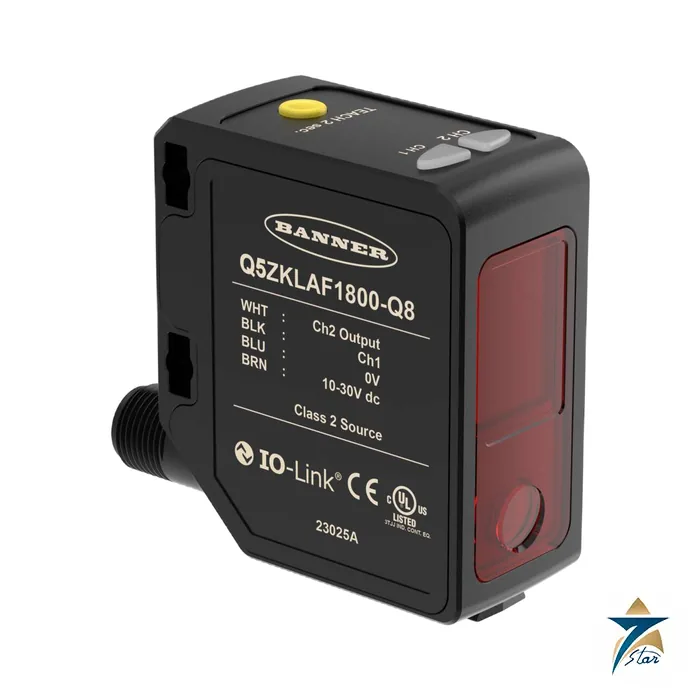
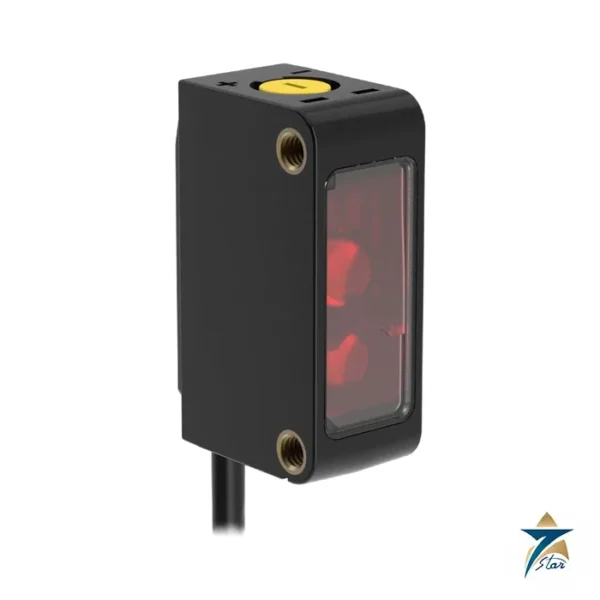
The Q5ZKLAF1800-Q8 is the Q5Z Global laser measurement sensor from Banner Engineering. It measures distance from 95 mm to 1800 mm using a visible red Class 2 laser (650 nm wavelength, output power under 1.0 mW) and presents the result on two channels: channel 1 offers IO-Link with a push/pull output, channel 2 a configurable PNP or NPN output, a remote input or a pulse frequency modulated signal.
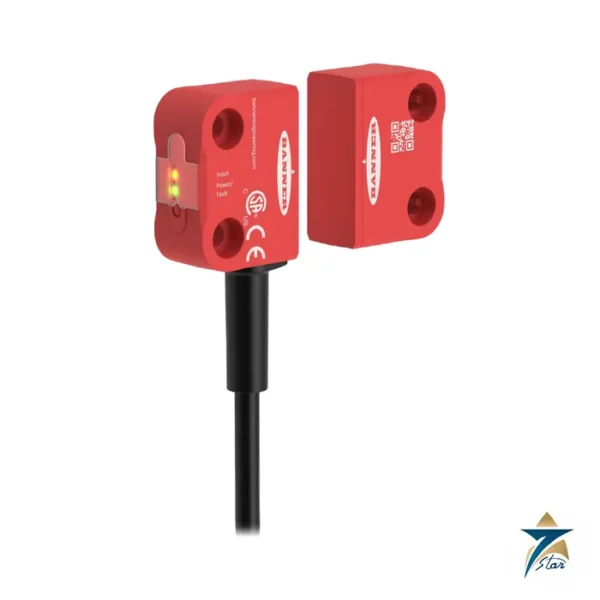
The sensor is deliberately minimal on the housing: two amber output LEDs and one TEACH button, no display. Banner states that this means the unit is configured at the factory so it is ready to install out of the box, and special configurations are arranged with the manufacturer.
Technical specifications
| Parameter |
Specification |
| Model |
Q5ZKLAF1800-Q8, 4-pin M12 integral connector, 270 degree rotatable |
| Sensing range |
95 mm to 1800 mm (3.74 in to 70.86 in) |
| Sensing beam |
Visible red Class 2 laser, 650 nm, output power under 1.0 mW |
| Supply voltage |
10 V DC to 30 V DC (Class 2 supply), 10 % maximum ripple; under 1 W |
| Channel 1 |
IO-Link, push/pull output, configurable PNP or NPN |
| Channel 2 |
Multifunction remote input/output, configurable PNP or NPN, or pulse frequency modulated output; default PNP |
| Output rating |
50 mA maximum |
| IO-Link interface |
Revision V1.1, Smart Sensor Profile, 38400 bps, 32-bit process data in, 8-bit out, minimum cycle time 3.6 ms |
| Response speed |
User-selectable 3, 5, 15, 25 or 50 ms |
| Temperature effect (typical) |
Under 0.5 mm per degree C below 500 mm; under 1.0 mm per degree C below 1000 mm; under 3.5 mm per degree C below 1800 mm |
| Ambient light immunity |
2000 lux at 1.8 m |
| Environmental rating |
IP67 per IEC 60529 |
| Operating / storage temperature |
-10 degrees C to +50 degrees C / -25 degrees C to +70 degrees C; 35 % to 95 % relative humidity |
| Construction |
ABS housing, PMMA acrylic lens cover, polycarbonate lightpipe |
| Delay at power-up |
Under 2.5 s; allow 10 minutes warm-up for best performance |
IO-Link and TEACH behaviour
Single button TEACH starts when the button is held longer than two seconds, and the sensor then runs its pre-configured TEACH mode; the default is a two-point TEACH. The quick start guide shows how pressing TEACH five times switches the active channel so that either output can be taught, and how the expected output behaves for two-point static background suppression results.
Over IO-Link the sensor supports an IODD file that exposes all the programming options plus extra functions beyond the button. Discrete output distance repeatability is plus or minus 0.5 mm from 95 to 300 mm for the 1800 mm model, with larger tolerances printed for longer distances.
Spot size and typical uses
The beam spot grows with distance: Banner prints spot sizes of 3.8 by 5.0 mm at 100 mm, 5.2 by 6.5 mm at 500 mm and 7.0 by 6.2 mm at 1000 mm, calculated as 1.6 times the D4 sigma measured value, together with excess gain tables for several response speeds. Fixed-range measurement, position control and height or fill monitoring on machines are typical jobs for a sensor of this class.
Boresight accuracy is plus or minus 43 mm at 1800 mm. Always confirm the exact IO-Link option, mounting bracket and cordset before ordering.
Where a laser measurement sensor fits on the line
The Q5Z is a distance sensor rather than a simple presence switch, so it suits tasks where the machine needs to know how far away a target is, not only whether it is there. On packaging, conveying and assembly equipment it can check the height of a stack, confirm that a part is seated at the correct depth, follow the fill level of a bin or hopper, or track the position of a moving carriage within its stated sensing range. Because the result is available as a value over IO-Link and as a switched output at the same time, one sensor can feed both a continuous reading to the controller and a simple go or no-go signal to local logic.
The visible red beam makes alignment straightforward during commissioning, since the technician can see exactly where the spot lands on the target. This is useful on cluttered machines where several sensors look at neighbouring surfaces and each must be pointed at the right feature.
Selection considerations
Before choosing this model, compare the closest and farthest target positions in the application with the published sensing range, and leave margin at both ends rather than working at the limits. Consider the surface of the target as well: dark, glossy or angled surfaces return less light than matte, light-coloured ones, and the excess gain tables in the quick start guide help judge whether the chosen response speed leaves enough reserve. Faster response settings help on quick-moving lines, while slower settings generally give steadier readings on static or slow targets.
Temperature drift and spot growth with distance, both described above, matter most when the sensor works near the far end of its range. Where tight repeatability is needed, mounting the sensor closer to the target usually gives better results than relying on the longest distances.
Installation and commissioning practice
Mount the sensor on a rigid structure so that machine vibration does not move the beam across the target, and keep the lens cover clean and free of dust, oil mist or condensation. Avoid pointing the beam at bright reflective surfaces in the background that could be read instead of the intended target, and position the sensor so that strong direct light does not shine into the lens. Use a supply that matches the stated voltage limits and observe the recommended warm-up period before final TEACH or measurement checks.
Treat the Class 2 laser with normal care: do not stare into the beam and position the sensor so that it does not point at operator eye level where this can be avoided. Follow the laser safety notes and wiring diagrams in the manufacturer quick start guide.
IO-Link integration and GCC site conditions
With an IO-Link master, the controller can read the measured distance as process data and change sensor parameters through the IODD rather than at the housing. This simplifies replacing a sensor, because the stored settings can be written back from the control system, and it gives maintenance teams a clearer view of what each sensor is reporting. Where IO-Link is not used, the switched outputs still work with standard PNP or NPN inputs.
In Oman and the wider GCC, many plants run in hot halls with dust and humidity. The IP67 housing helps against dust and washdown, but the stated operating temperature range should be checked against the real conditions at the mounting point, which may be well above room temperature near ovens, motors or sun-exposed walls. Shading the sensor and planning regular lens cleaning help keep readings stable.
Documents and quotation
The manufacturer document (Banner Q5Z Global Laser Measurement Sensor with IO-Link Quick Start Guide, p/n 226329 (manufacturer, unaltered)) is attached to this page as a PDF. Send the complete type code or part number you need through the quotation form and we will reply with availability and delivery terms; please confirm the sensing range, IO-Link version and mating cordset against the plant specification before ordering. More in Sensors & Transmitters.









Reviews
There are no reviews yet.