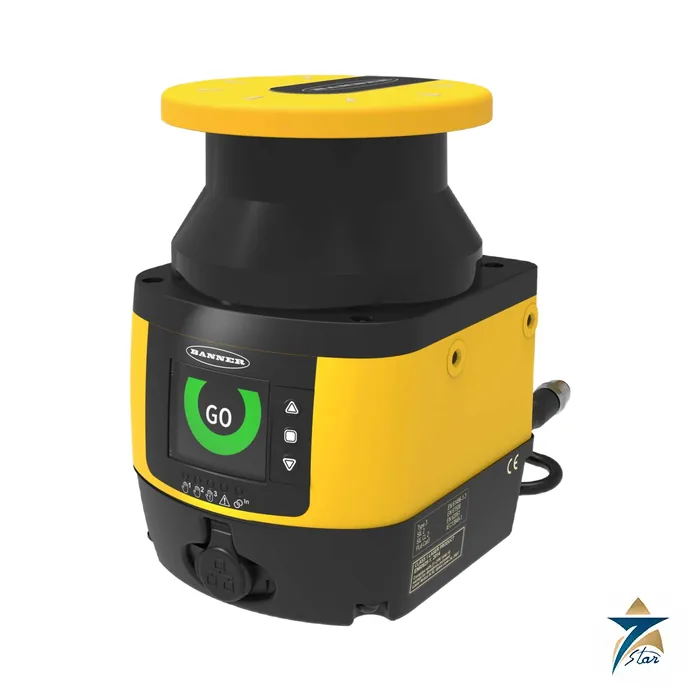
The Banner SX5 safety laser scanner protects automated guided vehicles, robot cells, palletisers and open machine perimeters by scanning the floor plane with an invisible class 1 laser. When a person or object enters a configured safety zone the scanner switches its OSSD safety outputs off, and a larger warning zone can slow a vehicle before it reaches that point.
The SX series offers a stand-alone model, master models with several outputs and remote scanners that are chained to a master, so one safety system can monitor several scan planes. Seven Star LLC, an independent supplier in Muscat, quotes SX5 models by exact code from the Banner product manual.
Technical specifications
| Parameter |
Specification |
| Models (manual) |
SX5-B6 stand-alone, SX5-M70, SX5-ME70 and SX5-M10 master, SX5-R remote |
| Maximum safety zone range |
5.5 m; maximum warning zone range 40 m |
| Safety rating |
Type 3 (EN 61496-1), SIL 2 (IEC 61508), SILCL 2 (EN 62061), Category 3 and PL d (EN ISO 13849-1) |
| PFHd and mission time |
6.38 x 10⁻⁸ per hour; MTTFd 61 years; mission time 20 years |
| Light source |
Pulsed laser diode, 905 nm, laser class 1 (EN 60825-1) |
| Supply |
24 V DC (19.2 to 30 V DC, SELV/PELV); stand-alone scanner 8 W and 0.3 A without output load |
| OSSD outputs |
Push-pull, overcurrent protected, 250 mA per output in the ON state |
| Connections |
M12 type A (8, 12 or 17 pins by model) for I/O and power; M12 type D 4-pin Ethernet |
| Master and remote |
A master scanner connects remote scanners over 8-pin M12; power rises by 8 W per remote scanner |
| Light beam diameter |
8 mm at front screen, 10 mm at middle distance, 20 mm at maximum distance |
| Enclosure rating |
IP65 |
| Operating conditions |
-10 to +50 C; storage -20 to +70 C; 95 % maximum relative humidity, non-condensing |
Models and architecture
The manual lists the SX5-B6 as the updated stand-alone model, the SX5-M70 and SX5-ME70 (the latter with encoder inputs) and SX5-M10 as master models, and the SX5-R as the remote model, all with a 5.5 m maximum safety range. A master scanner can drive remote scanners over a dedicated 8-pin connection, which suits vehicles that need coverage at the front and rear or a cell with several corners to guard. The SX5-B model is described by Banner as a legacy product no longer available for ordering.
Fields, resolution and configuration
The scanner is configured over Ethernet with the SX configuration software (GUI), which defines safety zones, warning zones and monitoring cases. The detection capability and the range are related: finer resolutions give a shorter safety range, and the manual tabulates 30, 40, 50, 70 and 150 mm resolutions with safety ranges up to 5.5 m. Contamination of the optics cover up to 30 % of nominal optical power does not prevent detection, according to the specification table.
Selection and what to confirm
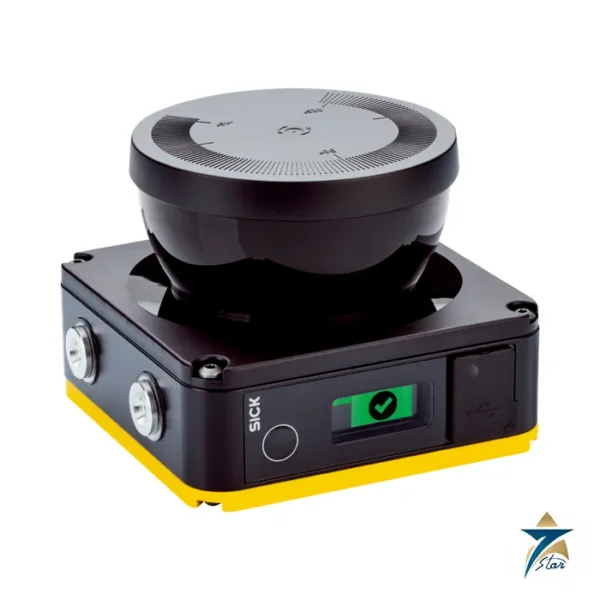
Choose the model by the number of scan planes and outputs needed, then calculate the minimum safety distance for your stopping time. You can also compare it with the existing SICK microScan3 and browse the safety switches and guard locking category. Please confirm before ordering: model (stand-alone, master or remote), connector pin count, cordsets, mounting hardware, the safety module or controller and the required resolution. Cordsets and mounting hardware are ordered separately.
How the Banner SX5 works
The scanner sends out pulses from a laser diode and measures the time they take to return. This gives the distance to any object in the scan plane. If a person or object enters a safety zone, the scanner switches its OSSD outputs off. A larger warning zone can slow a vehicle first.
Where the SX5 is used
- Automated guided vehicles
- Robot cells
- Palletisers
- Open machine perimeters
- Multi-plane safety systems
Selection checklist for the SX5
- Stand-alone, master or remote model
- Safety zone range
- Warning zone range
- Number of scan planes
- Encoder inputs
- Connector pin count
- Ethernet need
- Mounting position
Installation, commissioning and maintenance notes for the SX5
Mount the scanner on a rigid bracket at the planned height. Connect the M12 power and I/O cable. Draw the safety zones and the warning zones in the configuration software. Test every zone with a test object. Keep the front window clean.
Requesting a quotation for the Banner SX5
Please send the model code, the zone size and the machine type. Seven Star LLC serves industrial customers in Oman and the GCC and replies with a quotation based on the information provided.
SX5 scanner type
The SX5 is a safety laser scanner.
SX5 stand-alone model
The stand-alone model is the SX5-B6.
SX5 master models
The master models are the SX5-M70, SX5-ME70 and SX5-M10.
SX5 remote model
The remote model is the SX5-R.
SX5 safety zone range
The maximum safety zone range is 5.5 m.
SX5 warning zone range
The maximum warning zone range is 40 m.
SX5 laser
The laser is a pulsed 905 nm diode of laser class 1.
SX5 supply
The supply is 24 V DC.
SX5 safety outputs
The OSSD outputs are push-pull, with 250 mA per output.
SX5 connections
Connections are M12 for power and I/O, and M12 D-coded for Ethernet.
SX5 remote link
A master scanner connects remote scanners over an 8-pin M12 cable.
SX5 enclosure
The enclosure rating is IP65.
SX5 operating temperature
The operating range is minus 10 to plus 50 degrees C.
SX5 beam diameter
The beam is 8 mm at the front screen.
Safety scanner records for the SX5
Record the zone set used, the test dates and the results.
Choosing the right SX5 model
Choose the model from the number of scan planes the machine needs.
Documents and quotation
The attached file is the unaltered official SX Series Safety Laser Scanner Product Manual, p/n 208913 Rev. G, dated 24 March 2026. The user remains responsible for the risk assessment, safety distance calculation and validation under the applicable standards. Seven Star LLC supplies the exact model code you specify and confirms availability and lead time in the quotation. Send the model code, quantity and delivery location to our team and we will respond with a price.




Reviews
There are no reviews yet.