- Automation & ControlView all 3,043 products
- Automation Accessories
- AC Drives
- PLC & I/O Cards
- Industrial Communications
- Vibration Monitoring
- Isolator & Barrier
- Controllers & Data Acquisition
- Safety Switches & Guard Locking
- Motor Soft Starters
- Encoders
- CCTV & Security
- Pneumatic Cylinders
- HMI Displays
- Servo Drives
- Industrial Computers
- Machine Vision
- Automation Software
- Robotics
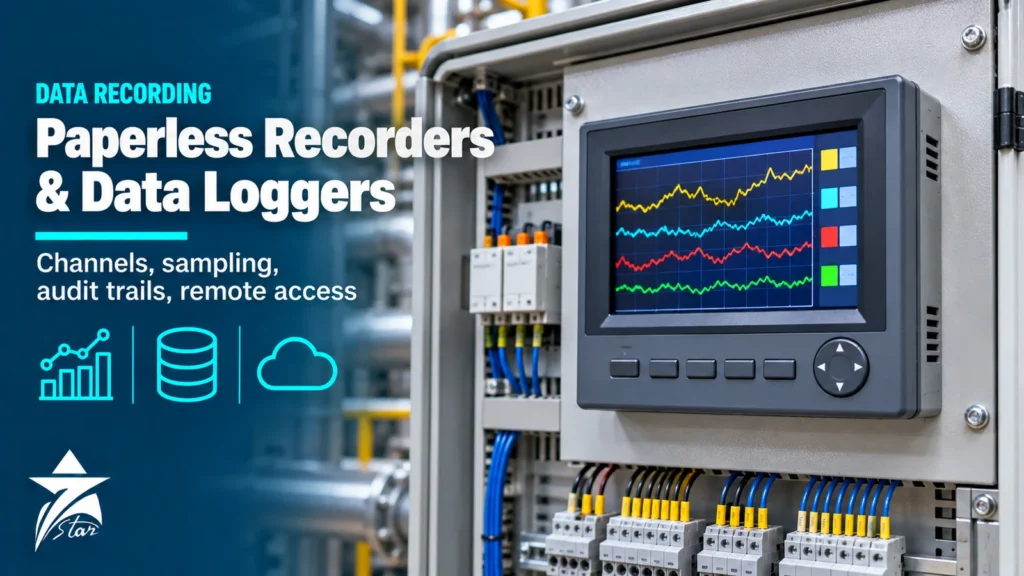
Plants have recorded temperatures, pressures and flows for as long as there have been process records to keep. For decades this meant pen chart recorders, rolls of paper and boxes of archived charts. Today most of that work is done electronically, either by a panel mounted paperless recorder with a touchscreen or by a compact data logger that runs unattended in the field. Both store measurements digitally, raise alarms and share data with other systems, but they suit different tasks. This guide explains the main selection points, from input types and sampling to audit trails and remote access, so you can specify the right recording device for your application.
Paperless Recorder vs Data Logger vs Chart Recorder
| Device | Typical form | Strengths | Typical uses |
|---|---|---|---|
| Pen or dot chart recorder | Panel mounted, paper chart | Simple, familiar, legal record on paper | Older plants, sites that still require paper charts |
| Paperless recorder | Panel mounted with colour touchscreen | Live trends, alarms, many channels, secure files | Furnaces, utilities, water treatment, process units |
| Modular data acquisition system | DIN rail or rack modules, often without display | High channel counts, fast sampling, distributed I/O | Test benches, large plants, SCADA feeds |
| Portable or standalone data logger | Battery powered handheld or box | Mobile, unattended, low cost per point | Temporary surveys, cold chain, energy audits, commissioning |
A modern recorder combines the operator display of a chart recorder with the memory and communication of a data acquisition system. Where operators need to see trends at the panel, a recorder is usually the best fit. Where data only needs to reach a server or a laptop, a modular or portable logger is often simpler and cheaper.
Inputs and Channel Count
Most recorders accept universal analogue inputs that can be configured per channel for thermocouples, RTDs, millivolt, volt and 4 to 20 mA signals. Digital inputs record events such as pump starts, door contacts or batch markers, and pulse inputs count flow meter or energy meter pulses. Count the signals you need today, then add a margin of 20 to 30 percent for future points. Check whether additional channels can be added with expansion modules, and whether math channels are available to calculate averages, totals, F0 values or differential temperatures inside the recorder.
- Thermocouple types J, K, T, N, R, S and B, with cold junction compensation accuracy stated by the manufacturer.
- RTD inputs such as Pt100 in 3 or 4 wire connection for accurate temperature recording.
- Current inputs of 4 to 20 mA from transmitters, with loop power supplied by the recorder or an external source.
- Isolation between channels, which prevents ground loops when signals come from different equipment.
Our guide to temperature transmitter selection explains when to convert a sensor signal to 4 to 20 mA in the field rather than wiring the sensor directly to the recorder.
Sampling, Recording Interval and Memory
Two settings are often confused. The sampling or scan interval is how often the recorder measures each input, typically from 100 ms to a few seconds. The recording interval is how often it stores a value in memory, which can be the same or longer. Many devices can also store the minimum and maximum within each recording interval, so short peaks are not lost when long intervals are used.
| Application | Typical scan interval | Typical recording interval |
|---|---|---|
| Furnace and heat treatment | 1 s | 1 to 10 s |
| Cold room and warehouse monitoring | 10 s | 1 to 5 min |
| Water treatment and utilities | 1 s | 10 s to 1 min |
| Pressure surges and fast events | 100 ms or faster | event or trigger based |
| Energy and power surveys | 1 s | 1 to 15 min |
Memory size and the file system decide how long data can be kept on the device. Internal flash memory usually holds weeks or months of data, and SD cards or USB sticks extend this further. Check that the recorder writes files in a tamper evident binary format with an export option to CSV, and that the viewing software can merge files into continuous trends.
Viewing and configuration software deserves the same attention as the hardware. Good software lets engineers configure channels offline, compare trends from several devices on one time axis, add annotations and produce daily or batch reports automatically. Check whether licences are included or charged per user, whether the software runs on current versions of Windows, and whether files from older models of the same manufacturer can still be opened, which matters when long archives must remain readable for years.
Audit Trails and Regulated Recording
Some industries require records that cannot be altered without leaving a trace. Pharmaceutical and food producers often follow the electronic record rules of FDA 21 CFR Part 11, and heat treatment suppliers to aerospace and automotive customers follow AMS2750 and CQI-9. For these applications, specify a paperless recorder with user login, password policies, electronic signatures, an audit trail of configuration changes and alarms, and secure data files that show any modification. Calibration of each channel should also be documented and traceable, as described in our article on building an instrument calibration program.
Alarms and Event Handling
- High, low, rate of change and deviation alarms per channel, with hysteresis and delay to avoid nuisance alarms.
- Relay outputs to drive beacons, sirens or interlocks directly from the recorder.
- Email or SMS notification through a network connection or modem when an alarm occurs.
- Event triggered recording, where the device switches to a faster recording interval during an upset.
- Batch functions that tag records with a batch number, operator and start and stop times.
Communication and Remote Access
A recorder rarely works alone. Typical communication options include Modbus RTU over RS-485, Modbus TCP and EtherNet/IP over Ethernet, OPC UA for secure connection to SCADA and historians, and FTP or HTTP for automatic file transfer to a server. A built in web server lets engineers view live values and trends from a browser without special software. For remote sites, a cellular router or an RTU can carry the data to a central control room, as explained in our guide to SCADA RTUs for remote sites.
Network connection brings cybersecurity duties. Change default passwords, disable unused services, keep firmware updated and place recorders on a segregated network behind a firewall. Our overview of industrial communication protocols and our comparison of DCS, PLC and SCADA architectures help you decide where recorders fit in the control system.
Display, Mounting and Environment
Panel recorders come with displays of roughly 5 to 12 inches. Larger screens show more trend groups at once and are easier to read across a control room. Check the panel cut out size if you are replacing an existing chart recorder, since many manufacturers offer models that fit standard DIN cut outs so the panel does not need modification. For field cabinets in Oman, confirm the operating temperature range, front panel IP rating, and whether the enclosure needs cooling or a sun shield. Portable loggers should have a stated ingress protection rating and battery life suitable for the survey length.
Replacing an Old Chart Recorder With a Paperless Recorder
Converting from a pen recorder to a paperless recorder removes the cost of charts and pens, the maintenance of mechanical drives and the storage of paper archives. Before replacing, list the existing inputs and their ranges, the chart speed and any alarm contacts, and agree with quality or regulatory staff how electronic records will be stored and reviewed. Many sites keep one printed daily report generated from the electronic data during the transition period.
Common Selection Mistakes
- Choosing too few channels and no expansion option, forcing a second device later.
- Using a long recording interval without minimum and maximum storage, so short excursions are missed.
- Ignoring audit trail and user management on regulated processes.
- Leaving the recorder on the office network with default passwords.
- Forgetting channel isolation when mixing signals from different equipment.
- Not planning how data will be backed up and archived once the memory is full.
Selected Recorders and Data Loggers in Our Catalog
The table below lists a selection of recording and data acquisition products from our catalog.
| Product | Type | Typical use |
|---|---|---|
| Yokogawa GX10 / GX20 | Touchscreen panel recorder | Process and furnace recording |
| Yokogawa GP10 / GP20 | Portable touchscreen recorder | Testing and temporary recording |
| Yokogawa GM10 | Modular data acquisition system | High channel count logging |
| Yokogawa µR20000 | Pen and dot chart recorder | Sites that need paper charts |
| JUMO LOGOSCREEN 700 | Touchscreen panel recorder | Regulated and batch processes |
| JUMO LOGOSCREEN 601 | Compact touchscreen recorder | Utilities and machines |
| ABB RVG200 | Touchscreen panel recorder | Water and process industries |
| JUMO AQUIS touch P | Analysis controller and recorder | Water quality monitoring |
| CS Instruments DS 500 | Intelligent chart recorder | Compressed air monitoring |
| Hydac HMG 2500 | Portable data recorder | Hydraulic diagnostics |
| Fluke 1738 | Three-phase power quality logger | Energy and power surveys |
| Palmer Wahl DSPG | Digital pressure gauge logger | Pressure testing records |
Browse more in our controllers and data acquisition category. To get a quotation, send the number and type of inputs, recording requirements, communication protocol and mounting details through our quote request form or to [email protected].
Sourcing Recorders and Data Loggers in Oman Through Seven Star LLC
Seven Star LLC is an independent supplier in Oman of paperless recorders, chart recorders, modular data acquisition systems, portable data loggers and power quality loggers. We quote products from manufacturers such as Yokogawa, JUMO, ABB, CS Instruments, Hydac, Fluke and Palmer Wahl, together with expansion modules, software and accessories. Channel count, input types, communication options and certification are confirmed against the manufacturer data at quotation.
Frequently asked questions
What is the difference between a paperless recorder and a data logger?
A paperless recorder is usually panel mounted with a touchscreen that shows live trends and alarms to operators. A data logger is often a compact or portable unit that records data unattended for later download. Both store data electronically and many share the same features.
Which inputs can a modern recorder accept?
Most models have universal inputs configurable for thermocouples, RTDs, millivolt, volt and 4 to 20 mA signals, plus digital and pulse inputs for events and counters. Channel isolation and expansion modules vary by model.
What is the difference between scan interval and recording interval?
The scan interval is how often each input is measured, while the recording interval is how often a value is saved to memory. Storing minimum and maximum values per interval prevents short peaks from being lost.
Do recorders support FDA 21 CFR Part 11 and AMS2750?
Many recorders offer user login, electronic signatures, audit trails and secure data files designed to help users meet FDA 21 CFR Part 11 and AMS2750 requirements. The full compliance also depends on site procedures and calibration records.
How can I view recorder data remotely?
Most networked recorders provide a web server, Modbus TCP or OPC UA connection, and automatic file transfer by FTP. Remote sites can connect through a cellular router or an RTU to a central SCADA system.
Who supplies paperless recorders in Oman?
Seven Star LLC is an independent supplier in Oman that quotes paperless and chart recorders, data acquisition systems and data loggers from manufacturers such as Yokogawa, JUMO and ABB. Send your requirements through the quote request form or to [email protected].
Was this guide helpful?One click helps us write better guides for engineers.
Thank you! Glad it helped. Need this equipment for your project? Request a quotation
Thank you. We will use this to improve the guide.