- Automation & ControlView all 1,920 products
- AC Drives
- PLC & I/O Cards
- Industrial Communications
- Vibration Monitoring
- Automation Accessories
- Controllers & Data Acquisition
- Isolator & Barrier
- CCTV & Security
- Safety Switches & Guard Locking
- Encoders
- HMI Displays
- Industrial Computers
- Motor Soft Starters
- Servo Drives
- Pneumatic Cylinders
- Machine Vision
- Automation Software
- Robotics

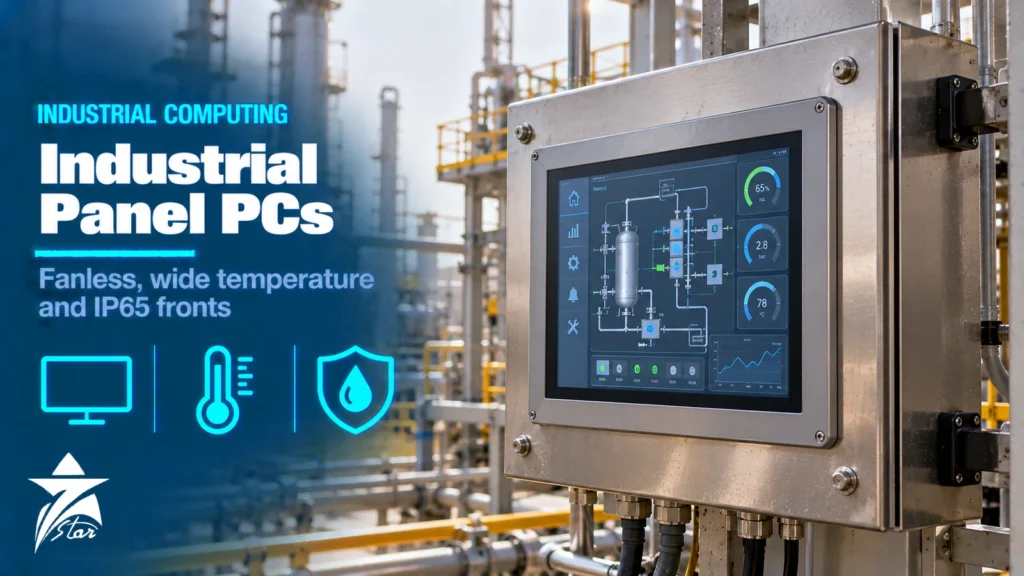
An office PC bolted into a control panel rarely survives a year on a GCC wellsite or a packing line: fans pull in dust, the hard disk dies from vibration, the screen washes out in sunlight and the processor throttles once the cabinet passes 50 °C. An industrial panel PC is built for exactly those conditions, but the label covers everything from a light-duty touchscreen with an IP65 bezel to a stainless, Class I Division 2 certified unit rated for −20 to 60 °C. This guide explains how rugged panel PCs and box computers are built, which ratings actually matter, how to read a datasheet critically, and what data to collect before you request a quotation.
What Makes a Computer “Industrial”
The core electronics are the same x86 or ARM processors used in commercial machines. The difference is in how the board is cooled, powered, sealed and supported over time. A genuine industrial unit is designed around four constraints that commercial hardware ignores.
- Thermal design without moving air: the processor and chipset are bonded to the housing or a finned heat sink so the whole enclosure acts as the radiator. No fan means no filter to clog and no bearing to fail.
- Sealed front, protected rear: the operator face is gasketed to an IP65 or IP66 level when panel-mounted, while the rear sits inside the cabinet at a lower rating such as IP20.
- Wide-range DC power: most units take 24 VDC (often 9–36 VDC) from the panel supply, with reverse-polarity and transient protection instead of a consumer AC adapter.
- Long product lifecycle: industrial boards are built on embedded-roadmap processors that manufacturers keep available for several years, so a spare purchased later still matches the validated software image.
If a datasheet does not state an operating temperature range, a shock and vibration specification, and the ingress rating with the mounting condition attached to it, treat the product as commercial hardware in a rugged-looking case.
Form Factors: Panel PC, Box PC and Display-Only Monitors
Three architectures cover most plant and machine applications. The right one depends on where the computing should live and how often you expect to replace the screen versus the processor.
| Form factor | How it is built | Best fit | Watch out for |
|---|---|---|---|
| Panel PC (all-in-one) | Display, touch and computer in one housing, mounted in a panel cut-out | Machine HMIs, local SCADA clients, packaging and filling lines | A screen fault takes the computer down with it; heat from the CPU adds to display heat |
| Box PC (embedded computer) | Fanless computer on a DIN rail or wall, separate monitor | Edge gateways, data loggers, vision systems, historians at the skid | Needs its own display or remote access; check DIN-rail weight limits |
| Modular panel PC | Display unit and computer module that clip together and can be replaced separately | Plants standardising on one screen size across many machines | Proprietary interfaces; confirm module availability for the full plant life |
| Industrial monitor / thin client | Display only, connected to a remote PC over DisplayPort, HDMI extender or network | Hazardous areas and hot field locations where the PC stays in a cooled room | Cable length limits and extender reliability |
For a broader look at screen-only operator panels that run an HMI runtime rather than a full operating system, see our HMI displays range. A panel PC makes sense when you need Windows or Linux applications, a SCADA client, database access or custom software that a dedicated HMI cannot run.
Fanless Cooling and Real Operating Temperature
Fanless designs move heat by conduction to the housing and by natural convection from the fins. That works well as long as the air around the fins can move and is not much hotter than the rating. Three practical points matter more than the headline figure.
- The rating is ambient air around the unit, not outdoor air. Inside a sealed steel enclosure in direct sun, the internal air can run well above the outside temperature. In summer conditions across Oman and the Gulf, outdoor shade temperatures reach about 50 °C, so a cabinet without cooling or a sunshield can exceed a 60 °C rated computer.
- Processors throttle before they fail. When the junction temperature approaches its limit, the CPU reduces clock speed. The unit keeps running, but a vision or SCADA application may slow down noticeably. Ask the supplier whether the temperature rating holds at full processor load or only at idle.
Typical ranges you will see are 0 to 50 °C for standard industrial units and −20 to 60 °C or wider for extended-temperature models. Low-temperature starts are rarely a GCC issue, but the upper limit is decisive. Displays also have their own limits: LCDs lose contrast and response speed when hot, and liquid crystal can blacken temporarily if the panel surface is heated by direct sun beyond its clearing point. Sunlight-exposed screens should use panels rated for high temperature or be shaded.
Ingress Protection: IP65, IP66, IP69K and NEMA 4X
Ingress protection codes come from IEC 60529. The first digit covers solids, the second covers water. For panel PCs, the important detail is that the front rating is only valid when the unit is mounted in a flat, rigid cut-out of the specified size with the supplied gasket and clamps tightened evenly.
- IP65: dust-tight and protected against low-pressure water jets. Adequate for most control rooms, MCC rooms and dusty process areas.
- IP66: dust-tight and protected against powerful water jets. Preferred for hose-down areas and outdoor kiosks.
- IP69K: defined in ISO 20653 for high-pressure, high-temperature washdown. Relevant in food, beverage and pharmaceutical plants with aggressive cleaning; usually paired with stainless steel housings.
- NEMA 4 / 4X: North American enclosure types. 4X adds corrosion resistance, which matters near seawater intakes, desalination plants and coastal facilities.
A full IP65 or IP66 housing (all sides sealed, not just the front) is a different product. It allows the unit to be pole-mounted or arm-mounted outside a cabinet, but it also traps heat, so its temperature rating is usually lower than that of a front-sealed panel unit with the rear inside a ventilated cabinet.
Hazardous Area Ratings: Class I Division 2 and Zone 2
Computers used near process equipment in oil and gas plants often sit in classified areas. Most panel PCs marketed for hazardous locations are certified for the lower-risk classifications only, where a flammable atmosphere is not expected in normal operation.
- Class I, Division 2 (North American system): equipment is evaluated to UL 121201, harmonised with CSA C22.2 No. 213. UL 121201 superseded ANSI/ISA 12.12.01, so older datasheets may still cite the ISA document.
- Zone 2 (IEC system): equipment certified under ATEX or IECEx to the IEC 60079 series, typically using non-sparking or energy-limited protection concepts such as Ex ec or Ex ic. The marking includes gas group and temperature class.
- Zone 1 / Division 1: requires a flameproof (Ex d) or purged/pressurised (Ex p) enclosure around a standard computer. These are heavy, specialised assemblies with a separate certification.
Check that the temperature class (for example T4) is valid at your maximum ambient, because many certificates restrict the ambient range for the hazardous-area rating more tightly than the general operating range. Also confirm that USB ports and connectors may not be used or disconnected while the area is hazardous; Division 2 certificates often carry such conditions. Our guide to hazardous area classification and Ex equipment explains zones, gas groups and temperature classes in more detail.
Display and Touchscreen Selection
Brightness and sunlight readability
Standard industrial LCDs are typically in the 250–500 nit range, which is fine indoors. Outdoors or under skylights, look for high-brightness panels around 1,000 nits or more, combined with optical bonding (filling the air gap between the touch layer and the LCD) and anti-reflective treatment. Optical bonding reduces internal reflections and condensation behind the glass, which is useful in humid coastal sites. Higher brightness also means more heat and power, so check the temperature rating of the high-brightness variant specifically.
Projected capacitive vs resistive touch
- Projected capacitive (PCAP): glass front, multi-touch, scratch resistant and easy to clean. Modern controllers can be tuned for gloves and water rejection, but performance varies, so test with the gloves your operators actually wear.
- Resistive: works with any glove or stylus and ignores water droplets, but the plastic film scratches and wears with heavy use and cannot be cleaned aggressively.
Storage, Memory and Operating System Choices
Storage is the most common failure point after fans. Specify industrial-grade SSDs (M.2, mSATA or CFast) with a stated endurance figure (TBW or DWPD) and an operating temperature range that matches the computer. Data loggers and historians that write continuously wear flash much faster than an HMI that mostly reads. Ask whether the SSD has power-loss protection, because sudden power cuts during writes can corrupt the file system.
For the operating system, long-term servicing editions of Windows IoT Enterprise are popular because their feature set does not change under you, which keeps a validated HMI or SCADA image stable. Linux is common for edge gateways. A write filter or read-only root file system protects the image against power cuts and unauthorised changes. Whatever you choose, keep a full disk image of the commissioned configuration so a replacement unit can be restored rather than rebuilt.
Interfaces, Power and Mechanical Robustness
Count the interfaces your application needs today and add margin. Typical requirements include:
- Two or more Gigabit Ethernet ports, ideally on separate controllers so the plant network and the IT network stay physically separate.
- Isolated RS-232/422/485 serial ports for legacy instruments, drives and analyzers using Modbus RTU.
- Fieldbus or expansion slots (mini-PCIe, M.2) for PROFINET, EtherNet/IP, CAN, Wi-Fi or cellular modules.
- Isolated 24 VDC input with a wide tolerance and an ignition or delayed-shutdown input for vehicle and mobile use.
- Stated shock and vibration performance, usually tested to IEC 60068-2-27 and IEC 60068-2-6, for machines, compressors and mobile equipment.
For sites with salt-laden air or H2S exposure, ask whether the circuit boards are conformal coated. Sulphur compounds attack exposed silver and copper on boards and connectors; coating does not make a computer suitable for a process atmosphere, but it extends life in plant rooms where traces of corrosive gas are present.
Installation Practices That Protect the Rating
- Cut the panel opening to the exact dimensions and tolerance in the manual, and deburr it. A distorted or oversized cut-out is the most common reason a front seal leaks.
- Tighten mounting clamps in a cross pattern to the stated torque. Over-tightening bows the bezel and lifts the gasket at the centre of each side.
- Leave the clearance around fins that the manufacturer specifies, and do not mount the unit directly above a VFD, transformer or other heat source in the same cabinet.
- Use a sunshield or canopy for outdoor kiosks; keeping direct sun off the screen and housing can make a larger difference than the cabinet cooling itself.
- Separate 24 VDC computer supplies from motor and solenoid circuits, and earth the chassis according to the manual to reduce noise-induced resets.
- Secure cables with strain relief so connectors do not carry cable weight; vibration slowly works loose any unsupported plug.
Common Mistakes and Troubleshooting
- Random freezes in summer: usually thermal throttling or SSD overheating. Log CPU and drive temperatures, then check cabinet cooling and fin clearance before replacing hardware.
- Touch registering phantom presses: often water films, electrical noise from unshielded cables nearby, or a bezel distorted by uneven clamping.
- Corrupted operating system after power cuts: add a small UPS or a delayed-shutdown function, enable the write filter, and avoid consumer-grade storage.
- Moisture behind the glass: a leaking front gasket or a non-bonded display in a humid environment. Re-seat the unit and consider optically bonded models for coastal plants.
Industrial Panel PC Specification Checklist Before You Request a Quote
- Application: HMI client, SCADA, vision, data logging, edge gateway or MES terminal.
- Form factor and screen size, aspect ratio and resolution; panel cut-out dimensions if replacing an existing unit.
- Operating ambient range at the installed location, including cabinet internal temperature in summer.
- Front and full-body ingress rating needed (IP65, IP66, IP69K, NEMA 4X) and housing material.
- Hazardous area classification: Class I Div 2 or Zone 2, gas group and temperature class.
- Display brightness, touch technology, glove use and optical bonding requirement.
- Processor class, RAM, SSD capacity and endurance, and operating system edition and licence.
- Interfaces: Ethernet, serial, USB, expansion slots, fieldbus or wireless modules.
- Supply voltage and power budget, and any shock and vibration requirement.
- Existing model number and revision if this is a like-for-like replacement.
Industrial PCs We Supply
These examples cover panel PCs and fanless box PCs.
| Product | Type | Where it fits |
|---|---|---|
| Advantech TPC-1051WP-E3AE Panel PC | Panel PC | Operator stations and SCADA clients. |
| Advantech TPC-1551WP-E3AE Panel PC | Panel PC | Larger operator screens. |
| Winsonic PZB32014-QF30L0-CB0M0C 32″ Zero Bezel Panel PC | Zero bezel panel PC | Large display operator stations. |
| Advantech UNO-2484G V2 Modular Fanless Box PC with 4 x GbE and 4 x COM | Fanless box PC | Edge computing and data collection in cabinets. |
Send the screen size, processor, operating temperature and mounting through our quote request form.
Sourcing Industrial Panel PCs Through Seven Star LLC
Seven Star LLC supplies industrial computers, panel PCs and box PCs on request from manufacturers such as Advantech, Siemens, Beckhoff, Phoenix Contact and Pepperl+Fuchs, together with related PLC and I/O cards and communication hardware. We help with selection against your temperature, ingress and hazardous-area requirements and cross-check part numbers for replacement units; availability and lead time are confirmed at quotation. For older installed bases, our article on sourcing obsolete automation parts covers how to approach discontinued models.
Replacing a panel PC or specifying a new one? Send us the nameplate photo, current model code or your datasheet, plus the site temperature and area classification, and we will return a matched quotation.
Frequently asked questions
What is the difference between an industrial panel PC and an HMI?
An HMI panel usually runs a dedicated runtime from the automation vendor and is configured rather than programmed. A panel PC runs a full operating system such as Windows IoT or Linux, so it can host SCADA clients, databases, vision software or custom applications. Panel PCs offer more flexibility but need more attention to operating system security and imaging.
Does an IP65 front mean the whole panel PC is waterproof?
No. A front rating applies only to the operator face when the unit is correctly mounted in a cut-out with its gasket and clamps. The rear housing is usually rated much lower, often IP20, and must sit inside a protected enclosure. Full-body IP65 or IP66 units exist but are a different product class.
Can a Class I Division 2 panel PC be used in Zone 1?
No. Division 2 and Zone 2 equipment is intended for areas where a flammable atmosphere is not expected in normal operation. Zone 1 or Division 1 locations need equipment with a suitable protection concept such as a flameproof or pressurised enclosure, certified for that classification.
Why does my fanless PC slow down in summer?
Fanless processors reduce their clock speed when internal temperatures approach their limit, a behaviour called thermal throttling. In hot cabinets this happens before the unit shuts down, so applications become sluggish. Measure the cabinet internal temperature and check fin clearance, sun exposure and cabinet cooling.
How bright should a sunlight-readable industrial display be?
Indoor industrial displays are typically a few hundred nits. For outdoor or direct-sunlight locations, units of roughly 1,000 nits or more with optical bonding and anti-reflective glass are commonly used. Shading the screen also improves readability and reduces heat load.
What information do I need to replace an existing panel PC?
Send the full model code and hardware revision from the label, the screen size and cut-out dimensions, the operating system and software in use, and the interfaces that are connected. Knowing the installed temperature and any hazardous-area marking helps confirm that a replacement or successor model is suitable.
Was this guide helpful?One click helps us write better guides for engineers.
Thank you! Glad it helped. Need this equipment for your project? Request a quotation
Thank you. We will use this to improve the guide.