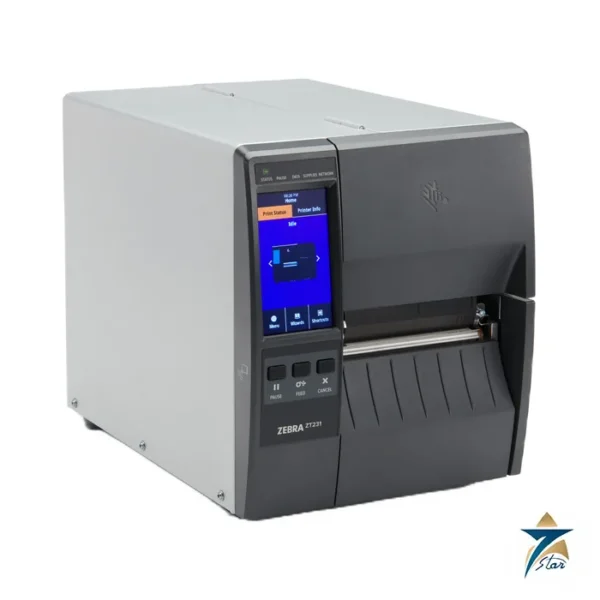
The Zebra ZT111 is the entry point of Zebra’s industrial printer line: a 4-inch thermal transfer and direct thermal printer in a metal-frame, plastic-enclosure body with a simple 3-button keypad and three-colour status LEDs. It suits workshops, stores and light production areas that need robust, repeatable labels without a colour touch display.
Simple operation for everyday labelling
Operators load media from the side through a bi-fold door with a large window, and the printer auto-calibrates when switched on or when the printhead is closed, using about two to three labels. Communications are USB 2.0 device and host, RS-232 serial and 10/100 Ethernet, with Bluetooth Low Energy available, and the printer stores 256 MB SDRAM and 256 MB Flash for forms, fonts and graphics.
Print width is 4.09 in. (104 mm) at either 203 dpi (8 dots/mm) or 300 dpi (12 dots/mm). Speed is programmable from 2 to 10 in./s at 203 dpi and 2 to 6 in./s at 300 dpi. ZebraDesigner Essentials label design software is available free from Zebra.
Technical specifications
| Parameter |
Specification |
| Print methods |
Direct thermal or thermal transfer |
| Resolution |
203 dpi (8 dots/mm); 300 dpi (12 dots/mm) optional |
| Maximum print width |
4.09 in. (104 mm) |
| Print speed |
203 dpi: 2.0 to 10 in./s (51 to 254 mm/s); 300 dpi: 2.0 to 6 in./s (51 to 152 mm/s) |
| Maximum continuous print length |
157 in. (3988 mm) at 203 dpi; 73 in. (1854 mm) at 300 dpi |
| Media web width |
0.75 in. (19.4 mm) to 4.50 in. (114 mm) |
| Media types |
Continuous, die-cut, notch, black-mark |
| Media thickness |
0.003 in. (0.076 mm) to 0.010 in. (0.25 mm) |
| Maximum roll |
8.0 in. (203 mm) O.D. on 3 in. core; 6.0 in. (152 mm) O.D. on 1 in. core |
| Ribbon |
1.57 in. (40 mm) to 4.33 in. (110 mm) wide; up to 450 m (thermal transfer) |
| User interface |
3-button keypad, three-colour LEDs |
| Connectivity options |
802.11ac Wi-Fi card; 10/100 Ethernet option card |
| Other options |
Front-mount passive peel, front-mount guillotine cutter, ZKDU keyboard display |
| Languages |
ZPL, ZPL II, EPL and EPL2 (EPL on 203 dpi models) |
| Dimensions (closed) |
H 11 in. (279 mm), W 9.5 in. (241 mm), L 17 in. (432 mm) |
| Weight |
17 lb (7.7 kg) |
Sensing and media notes
Gap media needs a 2 to 4 mm inter-label gap (3 mm preferred); notches are 6 mm by 3 mm and holes 3.18 mm, positioned 0.15 to 2.25 in. from the inner edge. Black-mark media needs marks 2.5 to 11.5 mm long, at least 9.5 mm wide and above 1.0 ODU. Minimum label length is 0.7 in. in tear-off mode and 0.5 in. in peel mode, and 1.0 in. with the cutter.
Selection and ordering
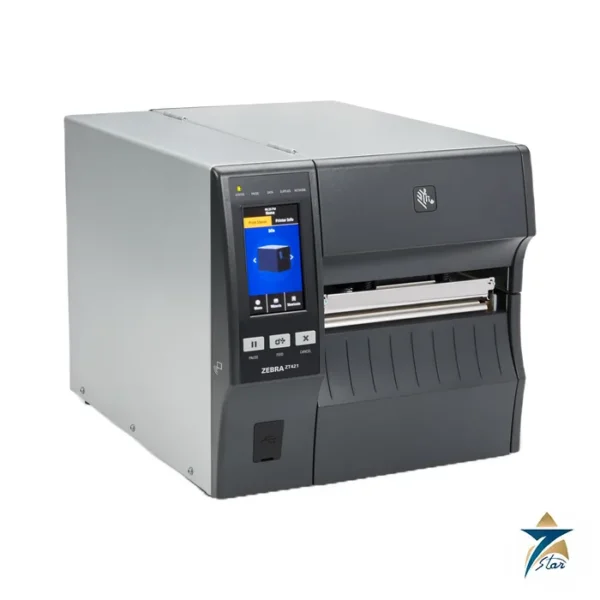
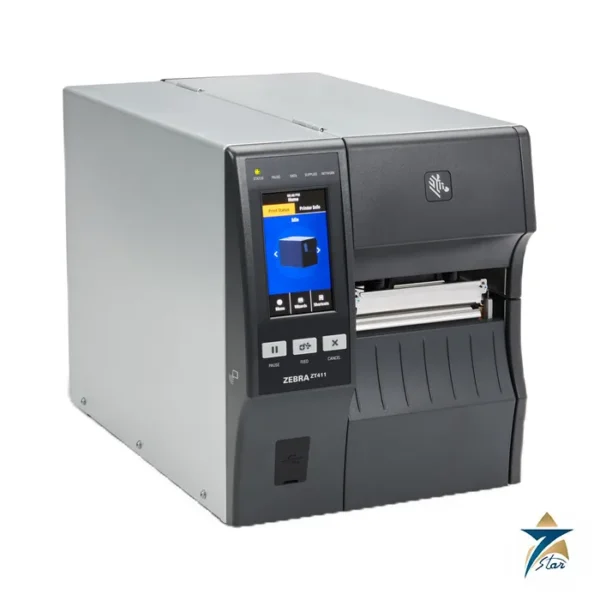
Choose the ZT111 where a touch display and Wi-Fi at the base are not required and cost matters. The ZT231 adds the 4.3 in. touch screen; the ZT411 adds a metal mechanism and a 600 dpi option. Before ordering confirm the resolution, Ethernet or Wi-Fi card, cutter or peeler, cord type and stock. Compare with other items in industrial automation accessories.
Operating notes: the choice between direct thermal and thermal transfer sets how durable the label is. Direct thermal stock needs no ribbon but darkens or fades with heat, light and abrasion, whereas thermal transfer stock with a matched ribbon resists more handling and is the usual choice for asset and equipment tags. The sheet lists 8.0 in. rolls on 3 in. cores and 6.0 in. rolls on 1 in. cores, so check the roll size your label supplier ships before ordering. Zebra recommends qualifying every application with thorough testing, and a trial print on the real label and ribbon is the simplest way to do that.
Choosing between direct thermal and thermal transfer
The ZT111 prints both ways, so the first decision on a new labelling job is which method fits the label’s life. Direct thermal labels need no ribbon and suit short-life uses such as shipping labels, picking tickets and work-in-progress tags. Thermal transfer prints through a ribbon and gives a more durable image that resists heat, light and abrasion, which matters for asset tags, rating plates, cable markers and labels that will spend time outdoors. In Oman, labels on goods stored in hot warehouses or shipped in containers can darken or fade if direct thermal stock is used, so thermal transfer is usually the safer choice for anything that must stay readable for months. Match the ribbon type to the label face material, and keep a sample of each approved combination for future orders.
Setting up the printer on site
Place the printer on a stable, level surface away from direct sun and from air conditioning outlets that blow dust or condensation onto the media. Connect it to the network or host computer, load the media and ribbon following the path diagram inside the cover, and let the printer auto-calibrate. Install the Zebra driver or use ZebraDesigner Essentials to build the first label templates, and print a test label to check position, darkness and barcode readability with a scanner before production starts. If the printer will be shared on the plant network, agree a fixed IP address with the IT team so that applications always find it.
Barcode quality checks
A label that looks good to the eye may still scan poorly. Use the scanners that will actually read the labels in the warehouse or on the line, and test at the distances and angles they will meet in use. Adjust darkness and speed together: a slower speed often gives sharper bars on demanding media.
Cleaning and printhead care
The printhead is the part most affected by daily use. Clean it with the cleaning pen or isopropyl alcohol and a lint-free swab at each ribbon change, or more often in dusty stores, and clean the platen roller at the same time. Do not touch the print elements with bare fingers or metal tools. Keep spare media and ribbons in their packaging in a cool, dry place, since heat and humidity affect both, and remove adhesive build-up from the media path before it causes feed problems. A short cleaning record kept near the printer helps shift teams know when the last cleaning was done.
Documents and quotation
The Zebra ZT111 specification sheet (manufacturer PDF) is attached to this page. Seven Star LLC supplies Zebra equipment as an independent supplier in Muscat; send your label size and volume for a quotation.










Reviews
There are no reviews yet.