An 8-port unmanaged switch for control panels
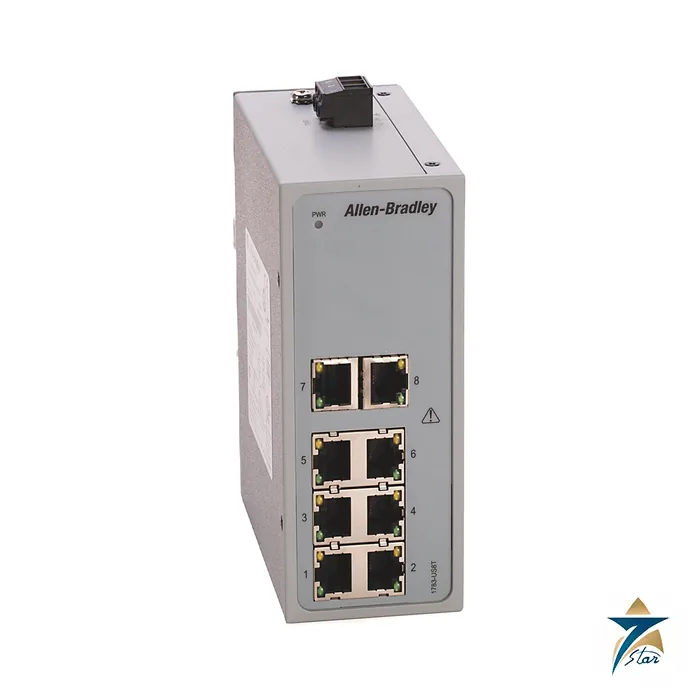
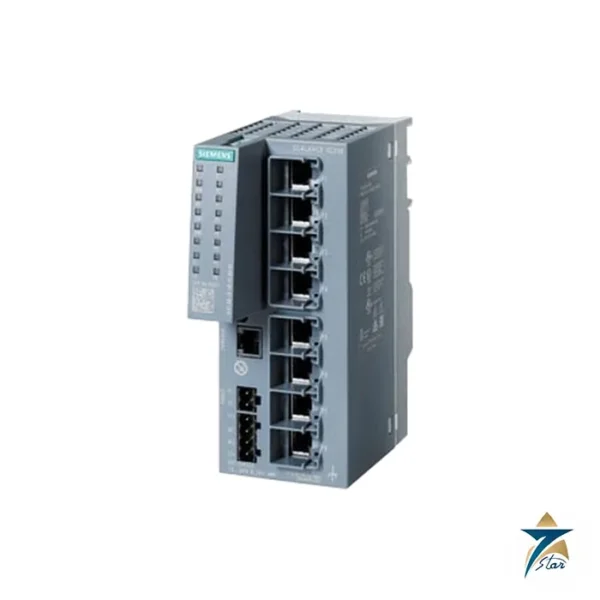
The Allen-Bradley 1783-US8T is a Stratix 2000 unmanaged Ethernet switch with eight copper ports. It requires no software setup: plug devices in and the ports negotiate speed. It is meant for small machine networks where controllers, drives and HMIs need a few extra ports without a managed switch.
The Stratix 2000 family is listed by Rockwell for DIN rail mounting inside a control cabinet, and it is powered from a low-voltage supply rather than from mains.
Technical specifications
| Parameter |
Specification |
| Manufacturer / family |
Allen-Bradley (Rockwell Automation) / Stratix 2000 unmanaged switches |
| Catalog number |
1783-US8T (Series B in the installation instructions) |
| Ports |
8 copper Ethernet ports (Fast Ethernet) |
| Switch type |
Unmanaged; two DIP switches on the top panel |
| Power input |
12 to 48V DC or 18 to 30V AC, 50 to 60 Hz, SELV |
| Operating temperature |
-10 to +60 °C (certified only within this range) |
| Enclosure type rating |
None (open-style) |
| Broadcast storm threshold |
20 packets per second at 10 Mbps; 200 packets per second at 100 Mbps per port |
| DIP switch SW1 |
On enables broadcast storm protection (default Off) |
| DIP switch SW2 |
Reserved (default Off) |
| Power wire size |
4 to 0.25 mm² (12 to 24 AWG) copper; 0.50 to 0.56 N-m terminal torque |
| Functional earth wire |
2.5 mm² (14 AWG) copper with ring terminal; ground screw 0.91 N-m max |
| Mounting |
DIN rail, grounded through the rail; zinc-plated yellow-chromate steel rail recommended |
| Minimum clearance |
51 mm top, bottom and sides; 64 mm at the front |
| Temperature codes |
North American T4; ATEX and IECEx T4 |
| Hazardous locations |
Class I Division 2 when mounted in a suitable enclosure; Zone 2 (Ex ec IIC T4 Gc) |
Reading 1783-US8T and its DIP switches
1783 is the Allen-Bradley network infrastructure range. In the product name Stratix 2000 8T Port Unmanaged Switch, 8T means eight copper ports. Neighbouring catalog numbers such as 1783-US5T and 1783-US16T are other port counts, while numbers like 1783-US4T1F combine copper and fiber ports.
Two DIP switches sit on the top panel. SW1 turns broadcast storm protection on or off, and it is off by default. The switch must be restarted for a change to take effect. SW2 is reserved. The storm threshold is 20 packets per second at 10 Mbps and 200 packets per second at 100 Mbps per port.
Power, environment and mounting
The supply is 12 to 48V DC or 18 to 30V AC and the device is SELV. The installation instructions state that the 1783-US8T Series B is certified only for a surrounding temperature of -10 to +60 °C, which is narrower than the -40 to +75 °C of some other Stratix 2000 models.
The switch is grounded through the DIN rail, so a zinc-plated steel rail should be used. Leave 51 mm of clearance above, below and at the sides and 64 mm in front. In a Class I Division 2 location it must be installed in a suitable enclosure.
Using the 1783-US8T in a machine network
Where an unmanaged switch is the right choice
An unmanaged switch such as the 1783-US8T forwards Ethernet frames without VLANs, IGMP snooping, port mirroring or remote diagnostics. That makes it simple to install and replace, and well suited to small, isolated machine networks where a controller talks to a handful of drives, remote I/O adapters and an HMI. For larger plant networks, EtherNet/IP systems with heavy multicast traffic, or any segment that needs monitoring and segmentation, a managed Stratix switch is usually the better option.
- Good fit: skids, packaging machines, pump panels, small conveyor sections, test benches and service laptops connecting to a local controller.
- Consider a managed switch: many multicast I/O connections, connection to the plant backbone, ring topologies or where port status must be reported to the control system.
Broadcast storm protection in practice
Turning on SW1 limits broadcast traffic per port to the thresholds listed above. This protects controllers on the machine network if a faulty device or an accidental loop floods the segment with broadcasts. Because the setting is only read at power-up, cycle the 24 V supply after changing the DIP switch and document the setting on the panel drawings so that a replacement unit can be configured the same way.
Panel design for hot and dusty locations
The Series B 1783-US8T is certified for a surrounding temperature of -10 to +60 °C. Inside a sun-exposed cabinet in Oman during summer, the internal temperature can approach or exceed this limit, so the switch should be placed low in the panel away from drives and power supplies, and the cabinet should have cooling sized for its full heat load. As an open-style device with no enclosure type rating, it must be protected against dust, sand and condensation by the cabinet itself. Where the panel is in an oil and gas facility classified as Class I Division 2 or Zone 2, the hazardous-location conditions in the installation instructions apply, including mounting in a suitable enclosure.
Wiring and grounding tips
- Feed the switch from a SELV supply within 12–48 V DC or 18–30 V AC; a shared 24 V DC control supply is common.
- Ground the switch through a zinc-plated steel DIN rail and add the functional earth conductor with a ring terminal.
- Use industrial shielded Ethernet cable and connectors, and keep data cables separate from motor and power cables, particularly near variable frequency drives.
- Label ports by connected device so that troubleshooting with the port link LEDs is quick.
- Maintain the stated clearances around the switch to allow natural convection.
Choosing between 1783-US8T and related models
If the panel needs fewer ports, the 5-port 1783-US5T saves space; for more devices the 16-port 1783-US16T avoids cascading switches. Where the link to another cabinet is long or passes through electrically noisy areas, models that combine copper and fiber ports, such as 1783-US4T1F, are worth considering. Also check the temperature rating of each model, since it differs within the Stratix 2000 family.
What to send with an RFQ
- Catalog number 1783-US8T, required series and quantity.
- Available supply voltage in the panel.
- Whether hazardous-area certification is needed for the installation.
- Any acceptable alternatives if a specific series is not available.
Documents and quotation
The 1783-IN003 installation instructions and the 1783-UM011 user manual provide the data used here. For a quotation send the 1783-US8T reference, series, quantity and the supply voltage. Confirm the exact catalog number before ordering. Related products are in Industrial Communications.








Reviews
There are no reviews yet.