A compact 4.3-inch HMI for Micro800 machines
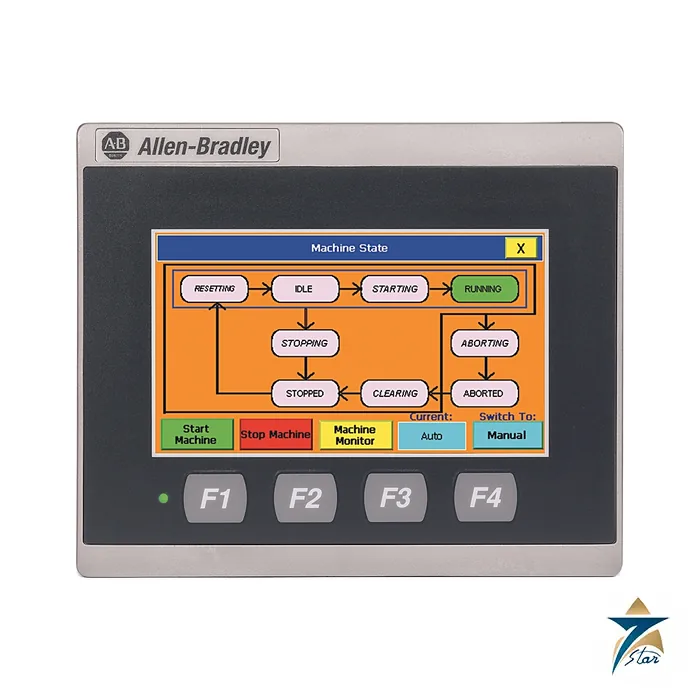
The Allen-Bradley 2711R-T4T is the smallest terminal in the PanelView 800 family, with a 4.3-inch widescreen color touch display at 480 x 272 pixels. It is aimed at small machines and skids controlled by Micro800 and MicroLogix controllers, where a full-size HMI would be more than the job needs.
It has an 800 MHz processor, built-in Ethernet and separate serial connectors, so it can talk to controllers over Ethernet or RS-232 and RS-422/485.
Technical specifications
| Parameter |
Specification |
| Manufacturer / family |
Allen-Bradley (Rockwell Automation) / PanelView 800 |
| Catalog number |
2711R-T4T |
| Display |
4 in. class (4.3 in.) color TFT LCD, widescreen, 95 x 53.9 mm display area |
| Resolution / colors |
480 x 272 pixels / 65K colors |
| Backlight |
LED, 40,000 hours minimum |
| Processor / memory |
800 MHz CPU, 256 MB flash, 256 MB DDR SDRAM |
| Operating system |
Windows CE 6.0 |
| Ports |
1 Ethernet 10/100, separate RS-232 and RS-422/485 connectors, USB 2.0 host, micro-SD slot |
| Recipes |
50 recipe files |
| Software / preferred controllers |
Connected Components Workbench 8.0 or later / Micro800 and MicroLogix |
| Power |
24V DC nominal (18 to 32V DC), 9 W max (0.39 A at 24V DC) |
| Dimensions (H x W x D) / weight |
116 x 138 x 43 mm / 0.333 kg (0.73 lb) |
| Panel cutout (H x W) |
99 x 119 mm |
| Heat dissipation |
23 BTU/hr |
| Front bezel / enclosure rating |
IP65, NEMA/UL Type 4X (indoor), 12 and 13 |
| Operating temperature |
0 to 50 °C |
Ordering code and software
In 2711R-T4T, 2711R is the PanelView 800 range and T4T is the touch terminal with the 4-inch display. The two larger siblings in the same technical data are 2711R-T7T and 2711R-T10T, so the middle number gives the screen class.
Applications are written in Connected Components Workbench, release 8.0 or later, and transferred through the Ethernet port, USB or a micro-SD card. Up to 50 recipe files are supported, and alarm messages can carry embedded variables.
Panel mounting and power
The terminal is 116 mm high, 138 mm wide and 43 mm deep, weighs 0.333 kg and fits a 99 x 119 mm panel cutout. The front bezel is rated IP65 and NEMA and UL Type 4X for indoor use, 12 and 13. Operating temperature is 0 to 50 °C.
Power is 24V DC nominal within an 18 to 32V DC window. Maximum consumption is 9 W, or 0.39 A at 24V DC, and heat dissipation is 23 BTU/hr. A real-time clock with a battery is fitted, rated for at least 5 years at 25 °C.
Environmental limits include 5 to 95% non-condensing humidity, 2 g vibration from 10 to 500 Hz, 15 g operating shock and 30 g non-operating shock. Storage temperature is -25 to 70 °C. The power terminal block takes 22 to 14 AWG copper wire, single wire, or 22 to 16 AWG when two wires share a terminal.
Programming is done through the Ethernet port, while the micro-SD card and the USB host port are available for moving applications and recipes.
Key features of the 2711R-T4T
- Compact widescreen touch display: a 4.3-inch color TFT at 480 x 272 pixels with 65K colors gives enough room for a start/stop screen, a few process values and an alarm banner on a small machine.
- Long-life LED backlight: rated for a minimum of 40,000 hours, which suits panels that stay powered around the clock.
- Three communication paths: one 10/100 Ethernet port plus separate RS-232 and RS-422/485 connectors, so the same terminal can serve a newer Ethernet controller or an older serial one.
- Removable storage: USB 2.0 host and a micro-SD slot for moving applications and recipe files without a laptop at the machine.
- Recipes and alarms: up to 50 recipe files, and alarm messages that can include embedded variables so the operator sees the actual value that caused the alarm.
- Sealed front: IP65 and NEMA/UL Type 4X (indoor), 12 and 13 at the bezel when correctly panel mounted.
Choosing between the PanelView 800 sizes
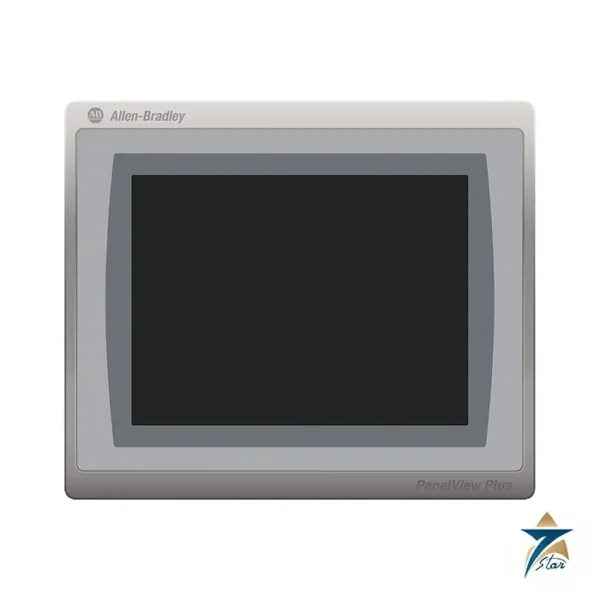
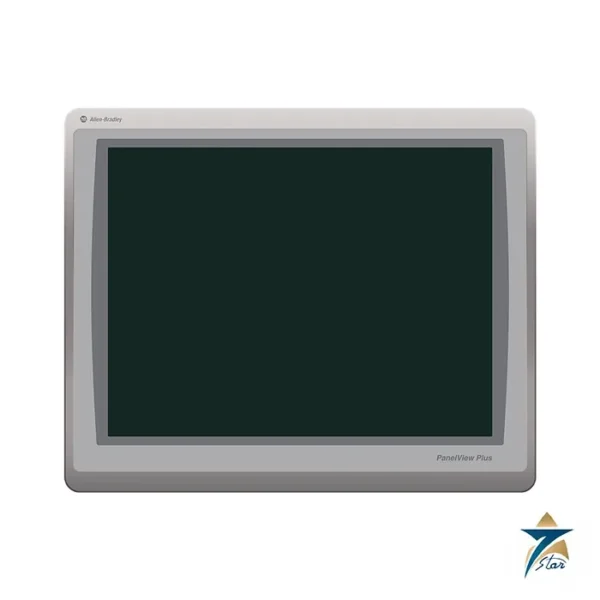
The 2711R-T4T, 2711R-T7T and 2711R-T10T share the same software tool and programming approach, so the choice is mainly about how much information the operator needs on one screen and how much panel space is available.
| Question |
Points toward the 2711R-T4T |
Points toward a larger model |
| Screen content |
A few buttons, setpoints and status values |
Trends, large alarm lists or many values on one page |
| Panel space |
Small control box or door with limited width; 99 x 119 mm cutout |
Full-size control panel door |
| Controller |
Micro800 or MicroLogix on a single machine or skid |
The same controllers, but with more operator interaction |
| Power budget |
Small 24V DC supply; 9 W maximum |
Larger supply margin available |
If an existing application was written for one PanelView 800 size, check how screens will be resized before moving it to a different display; layouts designed for 480 x 272 pixels normally need rework on a larger screen.
Installation and maintenance practice
Mounting
Cut the panel accurately to 99 x 119 mm and tighten the mounting clips evenly so the gasket seats all round; the IP65 and Type 4X ratings only apply to the front when the gasket is fully compressed against a flat, rigid panel. Leave clearance behind the 43 mm deep housing for the Ethernet, serial and power cables, and keep the terminal away from contactor coils and drive output cables inside the enclosure.
Power and wiring
Feed the terminal from a stable 24V DC supply that stays inside the 18 to 32V DC window during motor starts. Use the specified 22 to 14 AWG copper conductors at the power terminal block, and follow the grounding instructions in the installation documentation. For serial links, choose the RS-232 or RS-422/485 connector that matches the controller port and use shielded cable.
Routine care
- Keep a copy of the application and recipes on micro-SD or USB so a replacement terminal can be loaded quickly.
- Clean the touch screen with a soft cloth and a mild, non-abrasive cleaner; avoid sharp tools on the touch surface.
- Inspect the front gasket during panel maintenance and replace it if it has hardened or cracked.
- Check the real-time clock setting after long power outages; the battery is rated for at least 5 years at 25 °C and will age faster at higher temperatures.
Using the terminal in Oman and GCC conditions
The 0 to 50 °C operating range is the main limit to plan around. A panel standing in direct sun on a skid or rooftop can exceed 50 °C inside even when the air temperature is lower, so use sun shades, light-colored enclosures, ventilation or panel cooling and place the HMI where the enclosure stays within range. The front rating helps against dust and wash-down at the operator side, but the rear of the terminal relies on the enclosure, so seal cable entries properly in sandy or dusty areas.
Humidity is rated 5 to 95% non-condensing. In coastal sites where panels cool overnight, condensation inside the enclosure is a known risk; anti-condensation heaters or a breather on the enclosure help keep the electronics dry. The 2711R-T4T is a general-purpose industrial terminal; for classified hazardous areas, check the certifications listed in the technical data before selecting it.
What to include in your RFQ
- Catalog number 2711R-T4T and quantity
- Controller model and the port to be used (Ethernet, RS-232 or RS-422/485)
- Whether you need the application created or you will supply it in Connected Components Workbench
- Any spare parts needed, such as micro-SD cards or replacement mounting hardware
- Delivery location in Oman or the wider GCC and required delivery date
Documents and quotation
The PanelView 800 technical data 2711R-TD001 gives the table used here, with certifications and cable lists. For a quotation send the 2711R-T4T reference, quantity, the controller type and the communication port you plan to use. Confirm the exact catalog number before ordering. Related products are shown in HMI Displays.






Reviews
There are no reviews yet.