- AC Drives
- Industrial Communications
- PLC & I/O Cards
- Vibration Monitoring
- Automation Accessories
- Controllers & Data Acquisition
- CCTV & Security
- Safety Switches & Guard Locking
- Encoders
- Industrial Computers
- Servo Drives
- HMI Displays
- Motor Soft Starters
- Isolator & Barrier
- Pneumatic Cylinders
- Automation Software
- Machine Vision
- Robotics
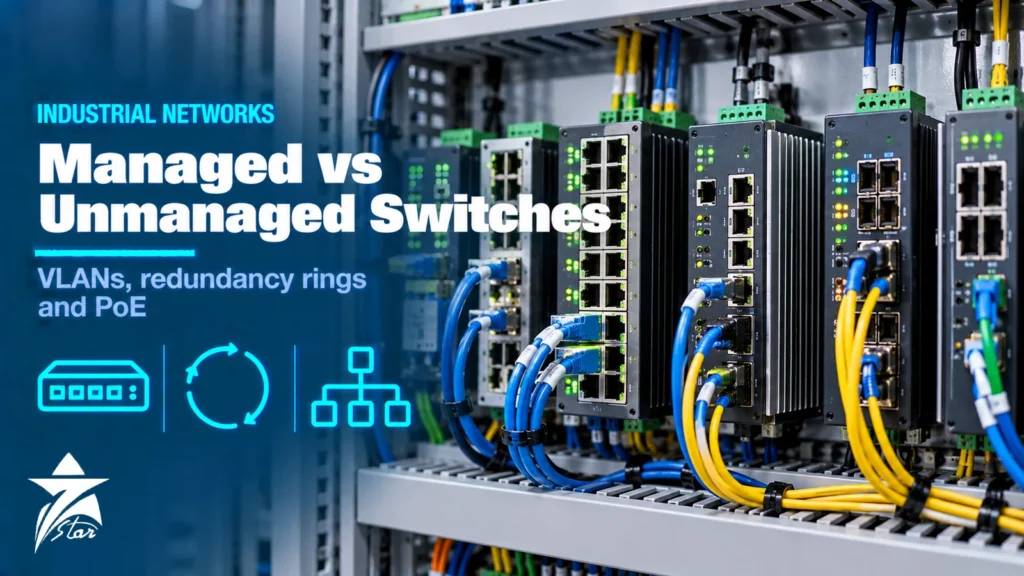
The choice between a managed vs unmanaged switch looks simple on a datasheet, but on a plant floor it decides whether the network can be segmented, diagnosed and kept running when a cable is cut. Industrial Ethernet now carries PLC I/O, drive control, HMI traffic, camera images and connections to plant information systems, often on the same physical cabling. This guide explains what managed switches add, when an unmanaged switch is still the right tool, how VLANs and multicast filtering work, which redundancy protocols are used in automation, how to plan PoE and what hardened ratings mean.
What a Switch Does in an Automation Network
A switch learns which device MAC addresses are connected to each port and forwards frames only where they need to go. In a control network the traffic pattern is different from an office: many small, cyclic frames between controllers and I/O, real-time demands measured in milliseconds, multicast data for some protocols and long equipment lifetimes. A switch that drops or delays frames can trip a machine, so behaviour under load, diagnostics and reliability matter more than raw throughput.
Unmanaged Switches
An unmanaged switch is plug and play: every port is in one broadcast domain, all frames are treated equally, and there is no configuration interface. It is appropriate when:
- The network is a small, isolated machine network, for example a PLC, an HMI and a few drives.
- There is little or no multicast traffic.
- No redundancy or remote monitoring is required.
- Cost and simplicity are priorities, and staff on site are not network specialists.
The weaknesses appear as networks grow. Broadcast and multicast frames are flooded to all ports, a loop created by an accidental patch cable can bring the whole network down, and when something fails there is no port counter, log or alarm to show where.
Managed Switches and What They Add
Managed switches are configured through a web interface, command line or engineering software and expose status to the control system. Useful functions include:
- **VLANs (IEEE 802.1Q):** split one physical network into separate logical networks, for example control, safety, video and maintenance.
- **IGMP snooping:** forwards multicast only to ports that requested it.
- **Quality of service (802.1p priority):** prioritises time-critical control traffic over bulk data.
- **Redundancy protocols:** RSTP, MRP and vendor ring protocols for fast recovery from cable or switch failures.
- **Diagnostics:** port statistics, error counters, SNMP, syslog, LLDP topology discovery, port mirroring for troubleshooting and alarm relay contacts.
- **Security:** port disabling, MAC-based port security, IEEE 802.1X authentication, user accounts and encrypted management.
Many automation protocols assume some of these features. PROFINET conformance classes beyond the basic level expect switches that support LLDP and SNMP for topology detection and device replacement, and EtherNet/IP networks with multicast I/O traffic rely on IGMP snooping. For an overview of how the main protocols differ, see our guide to industrial communication protocols.
Managed vs Unmanaged Switch Comparison Table
| Feature | Unmanaged switch | Managed switch |
|---|---|---|
| — | — | — |
| Configuration | None, plug and play | Web, CLI or engineering software |
| VLANs | No | Yes, IEEE 802.1Q |
| Multicast control | Floods all ports | IGMP snooping and querier |
| Traffic priority | None or fixed | QoS with 802.1p and DSCP |
| Redundancy | None, loops cause storms | RSTP, MRP, vendor rings, PRP or HSR on some models |
| Diagnostics | Link LEDs only | SNMP, syslog, counters, mirroring, alarm contact |
| Security | Physical only | Port security, 802.1X, accounts, logging |
| Cost and setup effort | Low | Higher; needs configuration and documentation |
Lightly managed or “smart” switches sit in between, offering a subset such as IGMP snooping, QoS and basic diagnostics with a simplified setup. They suit machine builders who need protocol support without full network administration.
VLANs and Network Segmentation
Segmentation limits how far broadcast traffic and faults can spread and is the foundation of OT security. A common pattern is one VLAN per process area or machine, with a separate VLAN for engineering access and another for cameras. Traffic between VLANs goes through a Layer 3 switch or firewall where it can be filtered. The zones and conduits model of IEC 62443 uses the same idea: group assets with similar security needs and control the connections between groups.
Plan the VLAN structure before configuring switches, document the port assignments and keep a spare-switch configuration file so a replacement can be loaded quickly.
Redundancy Rings and Recovery Times
A single cable or switch failure should not stop a production line. Managed switches support several redundancy approaches:
- **RSTP (Rapid Spanning Tree, IEEE 802.1w, now part of 802.1D and 802.1Q):** standard and multi-vendor, works with mesh and ring topologies. Recovery time depends on the topology and number of switches.
- **MRP (Media Redundancy Protocol, IEC 62439-2):** designed for rings, widely used with PROFINET. The standard defines worst-case recovery classes of 500 ms, 200 ms and 30 ms for rings of up to 50 switches, with a faster class for smaller rings.
- **Vendor ring protocols:** many manufacturers offer their own ring protocols with fast recovery; they usually require switches from the same family.
- **PRP and HSR (IEC 62439-3):** devices send duplicate frames over two independent paths, so there is no recovery time at all. They need compatible end devices or redundancy boxes and are used in substations and critical processes.
Check the recovery time against the watchdog time of the controllers and I/O devices. If the I/O connection times out before the ring heals, the machine will still stop.
Power over Ethernet
PoE delivers power and data over the same cable to cameras, wireless access points, IP phones and some sensors and displays.
- **IEEE 802.3af (PoE):** up to 15.4 W at the switch port, about 12.95 W available at the device.
- **IEEE 802.3at (PoE+):** 30 W at the port, 25.5 W at the device.
- **IEEE 802.3bt Type 3:** 60 W at the port, 51 W at the device.
- **IEEE 802.3bt Type 4:** 90 W at the port, about 71 W at the device.
Industrial PoE switches usually need a higher input voltage, often around 48 to 57 V DC, to supply full PoE power, although some models boost it from a 24 V supply. Check the total PoE budget of the switch, not just the per-port rating, and the derating at high ambient temperature, which can reduce available power considerably in a hot enclosure.
Hardened Ratings for Harsh Environments
Industrial switches differ from office switches in construction and approvals:
- **Temperature:** standard industrial models often cover around -10 to +60 degrees C, while extended models are typically rated around -40 to +75 degrees C. Always check the full operating range and any derating.
- **Fanless metal housings** and DIN rail or panel mounting.
- **Redundant power inputs** with reverse polarity protection and a relay output for power or link alarms.
- **EMC, shock and vibration** ratings suitable for control panels, motors and drives.
- **Approvals** for specific sectors: IEC 61850-3 and IEEE 1613 for substations, Class I Division 2 or ATEX and IECEx Zone 2 for hazardous locations, EN 50155 for railway vehicles, and marine type approvals.
- **Ingress protection:** most switches are IP30 for cabinet mounting, while IP65 or IP67 versions with M12 connectors are available for machine mounting.
Copper or fibre uplinks
Copper Ethernet is limited to 100 m per segment, and long copper runs between buildings are exposed to induced surges and ground potential differences. Fibre uplinks avoid both problems and are the usual choice between substations, control rooms and remote panels. Multimode fibre suits shorter distances inside a site, while single-mode fibre covers several kilometres. Many industrial switches use SFP slots so the optical module can be chosen to match the fibre type and distance; check that the SFP modules are rated for the same temperature range as the switch.
Time-sensitive networking
Time-Sensitive Networking (TSN) is a set of IEEE 802.1 standards that adds time synchronisation and scheduled traffic to standard Ethernet, so control traffic can share a network with other data while keeping deterministic latency. TSN-capable switches are appearing in new automation platforms, but they still need compatible end devices and configuration tools. For most existing plants, a well-designed managed network with VLANs and QoS remains the practical approach.
Security considerations
A managed switch is part of the security perimeter. Change default passwords, disable unused ports and services, use encrypted management protocols such as HTTPS and SSH, keep firmware updated through a controlled process and send logs to a central server. IEC 62443-4-2 defines security requirements for components, and some industrial switches are assessed against it; this can simplify compliance for plants that follow IEC 62443.
Typical Applications
- **Machine-level network:** unmanaged or lightly managed switches inside a single machine panel.
- **Production line backbone:** managed switches in an MRP or RSTP ring connecting PLCs, drives and HMIs.
- **Process plant:** managed switches with VLANs, redundant power, alarm contacts and fibre uplinks between substations and control rooms.
- **Remote and outdoor sites:** hardened switches with extended temperature ratings, fibre ports and PoE for cameras and radios.
For a view of how these networks support plant-wide data projects, see our article on Industry 4.0 and smart factories in Oman.
Operating in GCC Conditions
In Oman and the GCC, switches are often installed in outdoor kiosks, wellhead shelters and pump stations where cabinet temperatures can rise far above ambient. Choose extended temperature models, check PoE derating, and consider fibre for long runs and lightning-prone areas. Dust and humidity call for sealed cabinets and conformal-coated electronics where offered.
Industrial Switch Selection Checklist
- Number of copper and fibre ports, speeds and connector types
- Unmanaged, lightly managed or fully managed functionality
- Protocol support: PROFINET conformance class, EtherNet/IP IGMP snooping, Modbus TCP
- Redundancy protocol and required recovery time
- VLAN and segmentation plan
- PoE ports, power class and total budget at maximum temperature
- Operating temperature, power input range and redundant supplies
- Approvals for hazardous areas, substations, rail or marine use
- Security features and firmware maintenance policy
- Configuration backup and replacement strategy
Industrial Ethernet Switches We Supply
These examples cover both sides of the managed versus unmanaged decision, plus the converters and gateways that often sit next to a switch in a control panel.
| Product | Type | Where it fits |
|---|---|---|
| Moxa EDS-205A 5-Port Unmanaged Ethernet Switch | Unmanaged 5-port switch | Small isolated machine networks with a handful of devices. |
| Advantech EKI-2528 8-Port Unmanaged Industrial Ethernet Switch | Unmanaged 8-port switch | Panel networks where no VLANs or diagnostics are needed. |
| Moxa EDS-508A 8-Port Managed Ethernet Switch | Managed 8-port switch | Control networks that need VLANs, ring redundancy and port diagnostics. |
| Siemens SCALANCE XC208 Managed Industrial Ethernet Switch 6GK5208-0BA00-2AC2 | Managed switch | PROFINET networks on Siemens-based systems. |
| Hirschmann BRS20-12009999 Managed Fast Ethernet Switch (BOBCAT) | Managed DIN-rail switch | Compact managed switching inside control cabinets. |
| Moxa ICS-G7528A 28-Port Gigabit Rackmount Managed Switch | Managed 28-port rackmount switch | Backbone and control room aggregation. |
| Moxa IMC-21A-M-SC Ethernet-to-Fiber Media Converter | Ethernet-to-fibre converter | Long runs between buildings and through electrically noisy areas. |
Tell us the port count, copper and fibre mix, redundancy protocol, operating temperature and any PoE needs through our quote request form.
Sourcing Managed vs Unmanaged Switches Through Seven Star LLC
Seven Star LLC supplies managed and unmanaged switches from our industrial communication range on request, together with industrial computers and PLC and I/O cards, from manufacturers such as Siemens, Hirschmann, Moxa and Phoenix Contact. We help with selection and cross-checking part numbers, and availability and lead time are confirmed at quotation.
Planning a network upgrade or replacing a failed switch? Send us the model number from the label, the port count and the protocols in use, and we will prepare a matched quotation.
Frequently asked questions
What is the difference between a managed and an unmanaged switch?
An unmanaged switch forwards Ethernet frames with a fixed configuration and offers no way to change settings or monitor ports. A managed switch can be configured and monitored, supporting features such as VLANs, IGMP snooping, quality of service, redundancy protocols, port security, SNMP and diagnostics.
When is an unmanaged switch good enough in industrial automation?
Unmanaged switches suit small, isolated machine networks with a few devices, little multicast traffic and no need for redundancy or remote diagnostics. Once the network carries multicast I/O traffic, connects to other systems or needs fault monitoring, a managed switch is usually the better choice.
Why does IGMP snooping matter for EtherNet/IP?
EtherNet/IP I/O connections often use multicast. Without IGMP snooping, a switch floods multicast frames to every port, which can overload slower devices and fill the network. IGMP snooping, with a querier on the network, forwards multicast only to the ports that requested it.
How fast do redundancy rings recover?
Recovery time depends on the protocol and network size. Media Redundancy Protocol (MRP, IEC 62439-2) defines worst-case recovery classes such as 500 ms, 200 ms and 30 ms for rings of up to 50 switches, while RSTP recovery depends on topology. PRP and HSR (IEC 62439-3) send duplicate frames over two paths and achieve zero recovery time.
How much power can PoE deliver?
IEEE 802.3af provides up to 15.4 W at the switch port and about 12.95 W at the device, 802.3at provides 30 W and 25.5 W, and 802.3bt raises this to 60 W or 90 W at the switch port depending on type. The total PoE budget of the switch and its derating at high temperature also limit how many devices can be powered.
What makes an Ethernet switch industrial or hardened?
Hardened switches are designed for wide temperature ranges, often around -40 to +75 degrees C for extended models, with fanless metal housings, DIN rail mounting, redundant DC power inputs and higher immunity to vibration and electrical noise. Some carry approvals for substations, hazardous locations, rail or marine use.
Was this guide helpful?One click helps us write better guides for engineers.
Thank you! Glad it helped. Need this equipment for your project? Request a quotation
Thank you. We will use this to improve the guide.