Overview
OMNI OMNICONNECT is the Windows PC software that OMNI Flow Computers, Inc. provides for the configuration and operation of its current OMNI 4000 and OMNI 7000 flow computers. It succeeds the OMNICOM program used with the OMNI 3000 and 6000 series, and the manufacturer describes it as offering an enhanced level of configurability, faster data transfers and a look and feel that existing OMNICOM users will recognise. In day-to-day work it is the tool a metering engineer uses to build a configuration offline, load it into a flow computer, check live values, set up security, retrieve reports and update firmware.
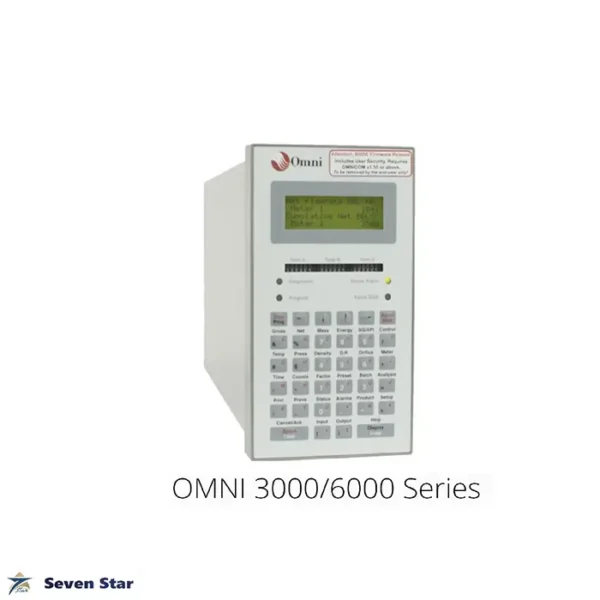
Seven Star LLC supplies OMNI OMNICONNECT licences together with OMNI 4000 and 7000 hardware to metering contractors, terminal operators and pipeline companies in the Sultanate of Oman and across the GCC, with engineering support in Muscat. We also help customers who are migrating from OMNI 6000 units and need to move their working practices from OMNICOM to the new software.
Working Principle
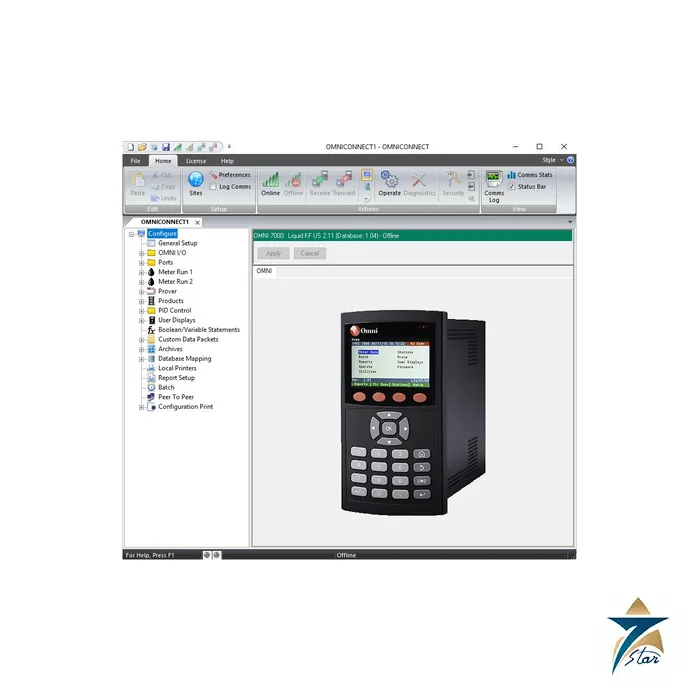
OMNI flow computers are configurable but not programmable. The firmware in the CPU contains the measurement calculations, reports and control functions, and the user selects and parameterises them rather than writing code. OMNI OMNICONNECT is the interface for that selection. According to the operations guide, it manages the flow computer configuration, operation and security setup and supports updating of the CPU firmware. It connects through the Ethernet ports, the serial ports, the front panel USB port or the USB port on the CPU, and a configuration can be built offline in a file and later downloaded to the unit or uploaded from it.
When the program starts, the user can open a new file from one of eight application types, reopen a recent file, open an existing configuration or connect directly to a flow computer. Sites and units must be created in OMNI OMNICONNECT to match the ports configured on the flow computer before communication is possible. Once connected, every editable item is protected by the user’s permissions, which are defined by the flow computer administrator. OMNI states that no other high-level program is permitted to change the OMNI firmware, because that would contravene the requirements of the WELMEC approvals the instruments carry.
Engineering Design of the OMNI OMNICONNECT Software
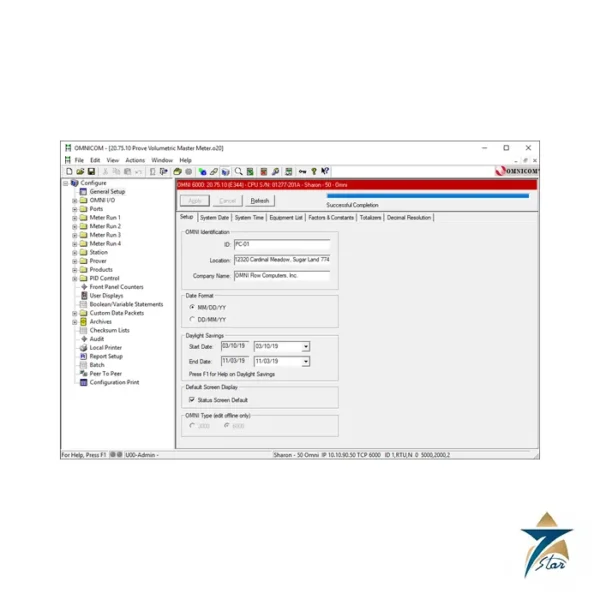
The main window of OMNI OMNICONNECT uses a ribbon bar with large icons and a configuration tree that lists general setup, I/O, ports, meter runs, products, prover, PID control, user displays, Boolean and variable statements, archives, custom data packets, database mapping, local printers, report setup, batch, peer-to-peer and configuration print. Configuration data is validated as it is entered, and tooltips tell the user when a value is not acceptable. Pressing F1 opens context help for the item under the cursor, which shortens the learning curve for new technicians working with OMNI OMNICONNECT.
Beyond configuration, OMNI OMNICONNECT is the operator’s window into the unit. A dashboard and user-configurable custom data screens show real-time values; a historical record browser retrieves batch, daily, prove and detailed daily reports; an integrated Modbus database browser shows the register map; and a graphical interface manages users, passwords and port security. Port and user security settings can be exported and imported into other OMNI flow computers when the same structure is needed across a station. The manufacturer also lists SSL Ethernet connections, I/O calibration through a GUI, and firmware updates over USB.
Key Features
The OMNI OMNICONNECT feature list published by the manufacturer includes:
- Online and offline configuration of OMNI 4000 and 7000 flow computers, with access to multiple flow computer sites from one PC.
- USB, serial and Ethernet connections, including Secure Socket Layer (SSL) encrypted Ethernet sessions.
- An integrated Modbus database browser for checking register addresses during SCADA, DCS and PLC integration.
- User-configurable custom data screens and a dashboard for real-time display of flows, totals, pressures and temperatures.
- A historical record browser for batch, daily, prove and detailed daily reports, plus alarm reports and audit trails.
- A graphical security manager in which GUI controls are enabled or disabled according to the logged-in user’s permissions.
- A calibration interface for flow computer I/O and an optional Quick Start dialog for new configurations.
- Firmware updates over the USB connection and support for current Windows versions.
Industrial Applications
Every OMNI 4000 or 7000 in a metering station needs a configuration tool, so the software is used wherever these flow computers are installed: crude oil export and pipeline metering, marine loading and unloading, LACT units, gas sales and fiscal gas metering, NGL and LPG transfers, and prover operations. Commissioning engineers use OMNI OMNICONNECT to load and verify the metering configuration; maintenance technicians use it for I/O calibration and to collect batch and prove reports; and measurement supervisors use it to pull audit trails during contract audits or disputes.
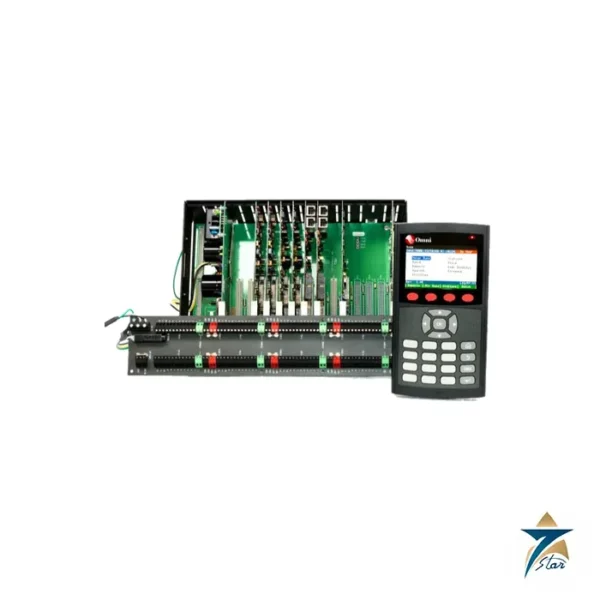
Seven Star LLC supplies OMNI OMNICONNECT for projects in Muscat, Sohar, Duqm and Salalah and on GCC sites. It is commonly ordered with the OMNI 7000 Flow Computer with Display, alongside upgrades from the OMNI 6000 Flow Computer with Operator Display, or as part of the platform described on the OMNI 4000/7000 Series page. For remote viewing of the front panel without configuration rights, OMNI also offers OMNIPANEL, and for checking Ethernet modules the Network Utility.
Technical Specifications
The following information on OMNI OMNICONNECT is taken from the manufacturer’s product page and the OMNI 4000/7000 Operations and Maintenance Guide attached on this page.
| Parameter |
Specification |
| Model |
OMNICONNECT configuration and operation software |
| Compatible flow computers |
OMNI 4000 and OMNI 7000 |
| Predecessor |
OMNICOM (for OMNI 3000/6000) |
| Operating system |
Microsoft Windows PC |
| Connections |
USB (front panel and CPU), serial, Ethernet with optional SSL |
| Modes |
Online and offline configuration |
| New file application types |
8 |
| Reports |
Batch, daily, prove, detailed daily, alarm, audit trails |
| Security |
User IDs and passwords; default password timeout 30 minutes; port locked for one minute after five invalid attempts in two minutes |
| Firmware update |
Over USB connection to the CPU |
| Licence |
Standard licence included with each 4000/7000 unit per OMNI; licensed to the individual PC or laptop |
How to Order
For OMNI OMNICONNECT licences, migration support or a quotation together with OMNI 4000 or 7000 hardware, contact Seven Star LLC. Our Muscat team will confirm the licence type you need, share the attached operations guide and support your metering project in Oman or anywhere in the GCC.













Reviews
There are no reviews yet.