- Vibration Monitoring
- PLC & I/O Cards
- Industrial Communications
- Automation Accessories
- Controllers & Data Acquisition
- AC Drives
- Isolator & Barrier
- Industrial Computers
- Encoders
- Safety Switches & Guard Locking
- Automation Software
- HMI Displays
- Motor Soft Starters
- Servo Drives
- CCTV & Security
- Robotics
- Pneumatic Cylinders
- Machine Vision
Brand: OMNI
OMNI OMNICOM Configuration Software for OMNI 3000/6000
Description
Configuration and diagnostics tool for OMNI 3000/6000 flow computers
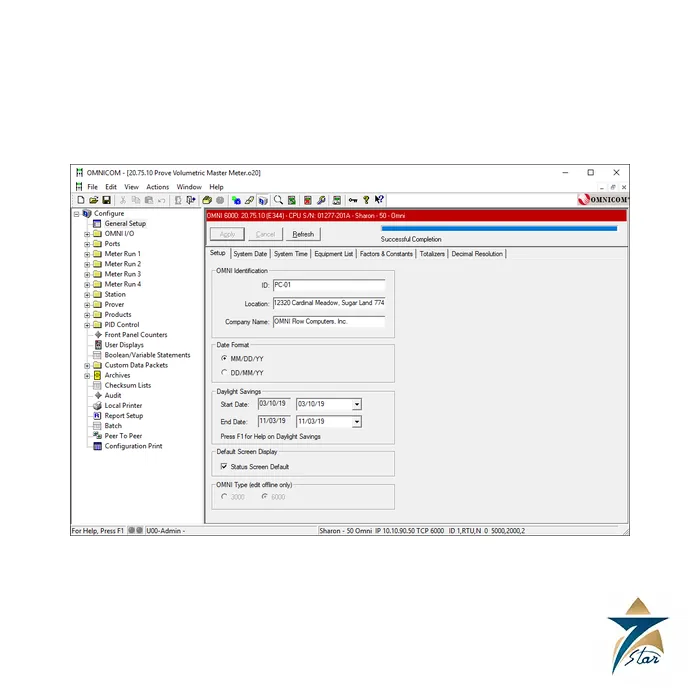
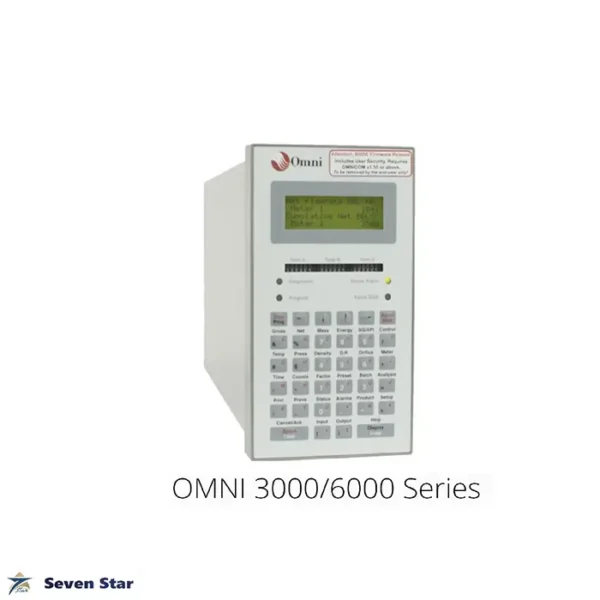
OMNICOM is the Windows-based software from OMNI Flow Computers for operating and configuring OMNI flow computers. It is built around the OMNI operating system and emulates the front-panel keypad used to configure the OMNI 3000/6000 series flow computers and controllers, with full-colour menus, a configuration tree and integrated F1 help. Critical setup parameters have built-in safety limits that block accidental entries which could affect measurement integrity.
The software supports liquid and gas applications, including quality monitoring, batching and meter proving. Diagnostic and data screens show system health, and changes such as an alarm threshold or an entirely new meter run can be made online without interrupting the process.
Technical specifications
| Parameter | Specification |
|---|---|
| Manufacturer | OMNI Flow Computers, Inc. |
| Product | OMNICOM configuration and operation software |
| Compatible units | OMNI 3000/6000 series flow computers and controllers |
| Platform | Microsoft Windows PC |
| Modes | Online and offline configuration; local and remote access; multiple sites |
| Included utility | WinPanel remote front panel over serial or Ethernet |
| Functions | Configuration, diagnostics, customisable reports, communications logging and debugging |
WinPanel and migration
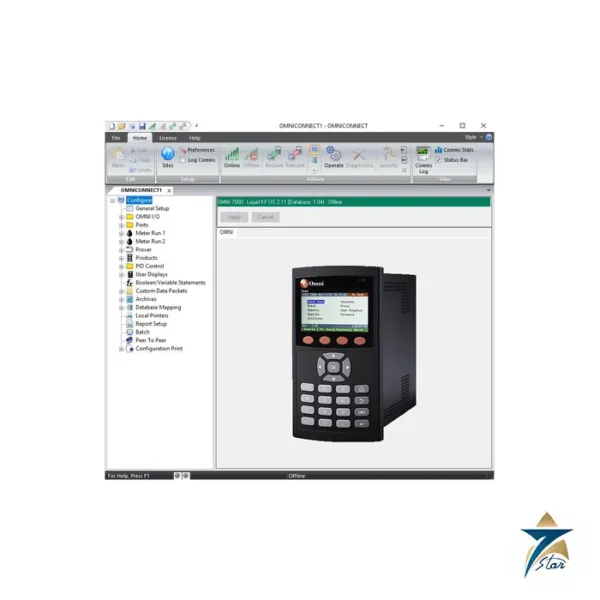
WinPanel mirrors the flow computer display and keypad on a PC, so one workstation can operate several flow computers. For sites moving to the current platform, OMNI publishes a guide for migrating from the OMNI 6000 to the OMNI 7000, which is configured with OMNICONNECT instead of OMNICOM.
Documents and quotation
OMNI does not publish a separate datasheet for OMNICOM. Please state the flow computer model, firmware revision and number of PCs when you ask for a quotation. Related software and hardware are listed under Automation Software.
Reviews (0)
How would you rate this product? Cancel reply
About brand
In liquid and gas metering, the name OMNI means one thing: the flow computer in the metering panel. OMNI Flow Computers is based in Sugar Land, USA, and builds panel-mounted flow computers that turn meter pulses, pressure, temperature and density into the corrected volumes used for custody transfer. Seven Star LLC lists OMNI flow computers and supplies them to metering system owners and integrators in Oman, matched to the existing configuration.
OMNI flow computer series listed here
Two generations are on this page. The OMNI 3000 and 6000 are the long-established series found in a great many metering stations; the 6000 is the larger chassis with more I/O capacity. The OMNI 4000 and 7000 are the current generation, with the 7000 as the larger unit, and both the 6000 and the 7000 are listed in the version with operator display.
Ordering an OMNI flow computer: what we need
An OMNI is defined by more than its model number. Send the model, the serial number, the firmware application and revision, and the list of I/O and communication modules fitted in the chassis. Add the number of meter runs, the meter type, the product measured and the supply voltage. With that we can check a replacement or a move to the newer series against OMNI documentation. Metering stations in the GCC usually need the configuration report as well.
Browse OMNI products by category: Flow Computers.
Related products
Frequently Asked Questions
OMNI describes OMNICOM as emulating the front-panel keypad used to configure OMNI 3000/6000 series flow computers and controllers.
Yes. OMNI states that changes such as alarm limits or a new meter run can be made online with no process disruption.
WinPanel is included with OMNICOM. It is a PC-based remote front panel that mirrors the flow computer display and keypad over serial or Ethernet.
Yes. Configurations can be prepared offline and then loaded into the flow computer.
The current OMNI 4000 and 7000 flow computers are configured with OMNICONNECT, the successor to OMNICOM.

Reviews
There are no reviews yet.