The Emerson FloBoss S600+ is a panel-mounted fiscal flow computer used for custody transfer, batch loading, and multi-stream measurement in oil & gas operations. Because custody transfer measurement is subject to strict accuracy and compliance requirements, getting the installation right the first time matters. This guide walks through the full FloBoss S600+ installation process, from the tools you’ll need to panel mounting and Config600 software setup.
The FloBoss S600+ isn’t just another flow computer – it’s Emerson’s flagship panel-mounted fiscal flow computer that’s revolutionizing how we handle custody transfer, batch loading, and multi-stream measurement in oil & gas operations. And today, I’m going to walk you through every single step of getting this powerhouse up and running.
Why the FloBoss S600+ Installation Matters More Than You Think
Before we dive into the nuts and bolts, let’s talk about why nailing FloBoss S600+ Installation is absolutely critical. The S600+ handles custody transfer – that’s the money-changing-hands kind of measurement where precision isn’t just nice to have, it’s legally required. One misconfigured connection or poorly mounted panel can cost your operation thousands in measurement errors or regulatory headaches.
The good news? This guide covers everything from panel mounting FloBoss S600+ installation procedures to Config600 software setup, ensuring you get it right the first time.
What You’ll Need Before We Start: The FloBoss S600+ Installation Toolkit
Before you start, make sure you have the following tools on hand:
FloBoss S600+ Installation Essential Tools
| Tool | Purpose | Why It Matters |
|---|---|---|
| 2.5mm Allen Key | Front panel removal | Proprietary size – don’t try substitutes |
| Small Flathead Screwdriver | Module installation | For those delicate connections |
| Small Adjustable Wrench | Securing mounting brackets | Prevents over-tightening |
| Cable Ties/Ty-Rap | Cable management | Clean installation = easier troubleshooting |
| ESD Wrist Strap | Static protection | One zap can fry expensive modules |
Pre-Installation Environmental Check
Here’s where I see even experienced engineers trip up. The environmental requirements for the S600+ aren’t suggestions – they’re mandatory for reliable operation:
- Indoor use only – Control room panel mounting is standard
- Operator height – Install at eye level for comfortable front-panel access
- Ventilation – Ensure proper airflow if installed near heat-generating equipment
- Panel thickness – Maximum 10mm for proper mounting

This Image helps you to Understand FloBoss S600+ installation better and the way it mounted
Step 1: Preparation and Safety – The Foundation of Success
Before you even think about opening that box, let’s talk safety. I’ve seen too many rushed FloBoss S600+ installation lead to damaged equipment or worse, injured personnel.
Safety Protocol Checklist
- Always disconnect power before starting any FloBoss S600+ installation work
- Use ESD protection – Static electricity is the silent killer of electronic components
- Review site-specific safety protocols – Your facility may have additional requirements
- Ensure proper lighting – You’ll be working with small connectors and components
Understanding Your FloBoss S600+ Components
The S600+ arrives with several key components that work together seamlessly:
Main Housing: Metal construction with 4 module slots designed for industrial environments
Front Panel: Features LCD display, keypad, status LEDs, and service port for local configuration
Plug-in Modules:
- CPU Module (Slot 1, always)
- I/O Modules (Slots 2-4)
- Prover Module (optional)
- HART Module (supports up to 24 HART connections)
Step 2: Panel Mounting – Getting the Physical Foundation Right
This is where precision meets practicality. The panel mounting FloBoss S600+ process requires attention to detail, but it’s more forgiving than you might think.
Panel Cut-out Specifications
| Dimension | Value | Notes |
|---|---|---|
| Width × Height | 150mm × 66mm | Standard cut-out size |
| Panel Thickness | Max 10mm | Critical for proper mounting |
| Minimum Clearance | 110mm between devices | Required for ventilation |
Pro Tip: If you’re upgrading from an older S500 or 869 model, you’re in luck – the S600+ fits the same cut-out dimensions.
Front Panel Removal Process
This step makes seasoned technicians nervous, but it’s actually quite straightforward:
- Turn off power – Cannot emphasize this enough
- Use the 2.5mm Allen key to remove bottom screws
- Slide panel upward approximately 4mm to detach
- Carefully disconnect the ribbon cable from CPU board
The key word here is “carefully.” That ribbon cable is the lifeline between your front panel and the CPU. Treat it with respect.
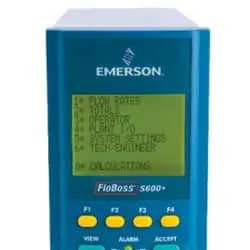
Step 3: Installing Module on FloBoss S600+ Installation– The Heart of Your System
Now we’re getting to the good stuff. Installing FloBoss S600+ I/O modules is where your flow computer really comes to life.
Module Slot Configuration
| Slot | Module Type | Purpose |
|---|---|---|
| 1 (Left) | CPU Module | Always required – brain of the operation |
| 2-4 | I/O, Prover, HART | Configurable based on your application |
FloBoss S600+ Installation (Installation Sequence)
Here’s where technique matters:
- Slide modules gently into designated slots
- Lock using ejector handles – they should click into place
- Tighten fixing screws – snug, not torqued to death
Critical Note: Over-tightening screws is a common mistake that can damage module housings. Think “firm handshake,” not “crushing grip.”
Step 4: EMC Protection – Your Shield Against Interference
Electromagnetic interference (EMI) is the invisible enemy of precise flow measurement. The EMC Protection Installation isn’t optional – it’s essential for reliable operation.
EMC Kit Components
| Component | Function | Installation Point |
|---|---|---|
| Security Backplate | Prevents EMI from rear | Main housing |
| EMISTOP 25/37 Pin Filters | Filters communication ports | I/O module connectors |
| Ferrite Clamp (Large) | I/O cable filtering | As close to device as possible |
| Ferrite Clamp (Small) | Ethernet cable filtering | Network connections |
EMC Setup Sequence
- Install EMISTOP filters on I/O module connectors first
- Attach ferrite clamps around all cables
- Install backplate shield with M3 screws
Think of EMC protection as insurance – you hope you never need it, but you’ll be glad it’s there when interference tries to wreak havoc on your measurements.
Step 5: Power Supply and Grounding – The Electrical Foundation
Getting the power right is non-negotiable. The flow computer wiring for power must be precise and reliable to continue FloBoss S600+ Installation .
Power Requirements
- Input Voltage: 20–32 VDC (Typical: 30V)
- Startup Current: 6A for 100 milliseconds
- Operational Current: 2A typical
Terminal TB1 Connections
| Terminal | Description | Notes |
|---|---|---|
| 1 | +24VDC Input | Main power feed |
| 2 | GND Input | Ground reference |
| 3 | +24VDC Output (500mA) | For pre-amplifiers |
| 4 | +15VDC Output (100mA) | Auxiliary power |
| 5 | GND Output | Output ground |
Installation Tip: Double-check polarity before applying power. A reversed connection can damage expensive modules faster than you can say “warranty void.”
Step 6: Communications Wiring – Connecting to the World
Modern flow computers don’t operate in isolation. The FloBoss S600+ Ethernet/Modbus configuration connects your device to SCADA systems, historians, and remote monitoring platforms.
Available Communication Ports
| Port Type | Quantity | Purpose |
|---|---|---|
| 10/100BASE-T Ethernet | 2 | Primary communication |
| RS-232/485 | 1 | Serial communication |
| USB | 1 | Data transfer & reports |
| Modbus | Via Ethernet | SCADA/DCS integration |
Communication Setup Best Practices
- Use shielded cables for all communication connections
- Implement proper grounding to prevent ground loops
Step 7: Configuration with Config600 Software – Bringing It All Together
This is where the magic happens. Config600 software transforms your hardware installation into a fully functional flow computer system.
Config600 Software Editions
- Lite: Basic configuration capabilities
- Lite Plus: Enhanced features for complex applications
- Pro: Full-featured edition for advanced users
Initial Configuration Steps for FloBoss S600+ installation
- Connect via Ethernet to access WebServer interface FloBoss S600+ installation
- Launch Config600 software on your configuration PC FloBoss S600+ installation
- Perform system discovery to identify installed modules FloBoss S600+ installation
- Configure measurement applications based on your requirements FloBoss S600+ installation
- Set up communication protocols for external systems FloBoss S600+ installation
Pro Tip: Start with a basic configuration and build complexity gradually. It’s easier to troubleshoot a simple system than debug a complex one.
Step 8: Firmware Updates and System Optimization
Keeping your FloBoss S600+ installation firmware current isn’t just good practice – it’s essential for security and performance.
Firmware Update Process
- Download latest firmware from Emerson’s support portal
- Back up current configuration before updating
- Use Config600 software to upload new firmware
- Verify successful update through system diagnostics
- Restore configuration if needed
Post-Installation System Checks
- Verify all modules are recognized by the system
- Test input/output functionality with known signals
- Confirm communication with external systems
- Review alarm and event logs for any issues
Common Installation Challenges and Solutions
Let me share some real-world scenarios I’ve encountered during FloBoss S600+ installation projects:
Challenge 1: Module Recognition Issues
Symptom: Installed modules not showing up in Config600 Solution: Check module seating and ejector handle engagement
Challenge 2: Communication Problems
Symptom: Cannot connect to device via Ethernet Solution: Verify IP configuration and network connectivity
Challenge 3: Power Supply Issues
Symptom: System randomly resets or modules malfunction Solution: Check power supply voltage and current capacity
Insert image of troubleshooting flowchart here
Advanced Configuration Topics

Multi-Stream Configuration
The S600+ excels at multi-stream measurement, allowing you to monitor multiple product lines simultaneously:
- Configure up to 4 measurement runs per device
- Implement batch loading applications for terminal operations
- Set up custody transfer calculations per API/AGA standards
Integration with Existing Systems
Upgrading from FloBoss S600 to S600+ doesn’t have to be a complete overhaul:
- Existing configurations can often be migrated
- Communication protocols remain largely compatible
- Training requirements are minimal for existing users
Maintenance and Long-term Care
A properly installed S600+ is just the beginning. Here’s how to ensure long-term reliability:
Recommended Maintenance Schedule
| Task | Frequency | Purpose |
|---|---|---|
| Visual inspection | Monthly | Check for physical damage |
| Communication test | Monthly | Verify all connections |
| Firmware check | Quarterly | Ensure latest updates |
| Configuration backup | Quarterly | Protect against data loss |
| Calibration verification | Annually | Maintain measurement accuracy |
Backup and Recovery Procedures
How to back up and restore configurations:
- Use Config600 software to create complete system backup
- Export measurement data to external storage
- Document custom configurations for future reference
- Test recovery procedures during maintenance windows
Industry Standards and Compliance
The S600+ is designed to meet stringent industry requirements:
Supported Standards
- AGA (American Gas Association) calculation methods
- API (American Petroleum Institute) standards
- ISO (International Organization for Standardization) protocols
Compliance Considerations
- Custody transfer applications require specific configuration
- Fiscal measurement demands regular calibration
- Audit trails must be maintained for regulatory compliance
Expanding Your S600+ System
One of the S600+’s greatest strengths is its expandability. How to expand the S600+ system:
Adding I/O Modules
- Analog input modules for transmitter connections
- Digital I/O modules for discrete signals
- Pulse input modules for turbine meters
HART Module Integration
- Point-to-point connections for individual transmitters
- Multi-drop configurations for multiple devices
- Advanced diagnostics for predictive maintenance
Communication Expansion
- Additional Ethernet ports for network redundancy
- Wireless modules for remote locations
- Fiber optic interfaces for long-distance communication
Troubleshooting Common Issues

Even with perfect installation, issues can arise. Here’s your troubleshooting toolkit:
System Won’t Start
Check these items first:
- Power supply voltage and connections
- Module seating and ejector handles
- Front panel ribbon cable connection
Communication Failures
Diagnostic steps:
- Verify network configuration
- Check cable integrity
- Test with known good equipment
Measurement Errors
Investigation process:
- Review calibration settings
- Check transmitter connections
- Verify calculation parameters
For more detailed troubleshooting guidance, check out our comprehensive Troubleshooting FloBoss S600+ guide.
Where to Source Your FloBoss S600+
When you’re ready to move forward with your FloBoss S600+ Installation, partnering with an experienced supplier makes all the difference. At Seven Star LLC, we’ve been helping industrial operations optimize their flow measurement systems for years.
OurFloBoss S600+ flow computeroffering includes:
- Genuine Emerson hardware
- Complete installation support
- Config600 software training
- Ongoing technical support
Visit our FloBoss S600+ product page for current specifications and pricing.
Final Thoughts: Your Path to Installation Success
Installing a FloBoss S600+ flow computer isn’t just about following steps – it’s about understanding how each component contributes to your overall measurement system. From the initial panel mounting to the final Config600 software configuration, every detail matters.
The investment in proper installation pays dividends in system reliability, measurement accuracy, and regulatory compliance. Whether you’re handling custody transfer, batch loading, or multi-stream measurement, the S600+ provides the foundation for precision flow measurement.
Remember, installation is just the beginning. Regular maintenance, firmware updates, and system optimization ensure your S600+ continues delivering accurate measurements for years to come.
If you’re looking to dive deeper into flow computer fundamentals, don’t miss our article on What Is A Flow Computer? – it’s essential reading for anyone working with measurement systems.
Ready to get started? The FloBoss S600+ installation process might seem daunting at first, but with the right preparation and attention to detail, you’ll have a rock-solid flow measurement system that serves your operation for years to come.
FloBoss S600+ Installation
Unlock Peak Performance: Your Next Steps with Seven Star LLC
You’ve meticulously navigated the intricacies of FloBoss S600+ Installation – Step by Step Guide: Your Complete Roadmap to Fiscal Flow Computer Excellence. From initial panel mounting to the sophisticated Config600 software setup, every detail has been laid bare, equipping you with the knowledge to build a robust, reliable flow measurement system. The journey to unparalleled system reliability, pinpoint measurement accuracy, and unwavering regulatory compliance begins with a flawless FloBoss S600+ Installation, and the FloBoss S600+ provides that unshakeable foundation for custody transfer, batch loading, and multi-stream measurement.
But the roadmap to fiscal excellence doesn’t end with FloBoss S600+ Installation. Ongoing vigilance through regular maintenance, timely firmware updates, and continuous system optimization ensures your FloBoss S600+ continues to deliver precise measurements and peak performance for years to come. If you’re looking to dive deeper into the fundamental principles of these critical devices, our comprehensive article on What Is A Flow Computer? is an essential read for anyone committed to mastering measurement systems.
Now, with this crucial knowledge in hand, the next vital step is to partner with a distributor who not only understands these complexities but can also provide the genuine hardware, expert support, and seamless supply chain necessary for your success.
Seven Star LLC stands as that trusted partner. We’ve been at the forefront of helping industrial operations, particularly within the demanding oil & gas sector, optimize their flow measurement systems for years. Our commitment goes beyond just sales; it’s about fostering long-term reliability and ensuring your operations run at their absolute best.
Our FloBoss S600+ flow computer offering is comprehensive:
- Genuine Emerson Hardware: Guaranteeing authenticity and peak performance.
- Complete Installation Support: Ensuring your FloBoss S600+ Installation is flawless from day one.
- Config600 Software Training: Empowering your team with in-depth knowledge. FloBoss S600+ Installation
- Ongoing Technical Support: Providing peace of mind with expert assistance whenever you need it.
We invite you to visit our dedicated for the most current specifications, detailed features, and transparent pricing. This is your direct gateway to acquiring this powerhouse of precision.
However, Seven Star LLC‘s expertise extends far beyond just the FloBoss S600+. Our extensive portfolio includes a wide array of other , encompassing various models and even different brands to suit every conceivable application and budget. Whether you’re seeking solutions for remote field automation with the FloBoss 107, or require the versatile I/O capabilities of the FB1000 and FB2000 Series, our range is designed to meet your every need.
For further assistance in truly optimizing your operations and understanding the nuances of the FloBoss S600+, we’ve also compiled an invaluable resource. For quick, concise answers to common questions regarding this powerful device, please refer to our This guide is meticulously designed to clarify functionalities, address typical inquiries, and empower you to maximize your FloBoss S600+ investment with unwavering confidence.
Ready to elevate your flow measurement systems to the next level of excellence?
Don’t let another day pass with less-than-optimal precision. If you’re looking to purchase a FloBoss S600+ or any other type of flow computer, or if you have specific requirements for your industrial applications, Seven Star LLC is your ultimate partner. Our dedicated team of experts is eager to assist you. Simply fill out the inquiry form conveniently located on the right side of this article with your specific needs. Our specialists will promptly contact you to provide a precise price quote and tailored solutions, ensuring you receive the exact cutting-edge technology required to achieve fiscal accuracy, operational efficiency, and a truly unshakable foundation for your industrial future.